

To manage your catalog, navigate to the “Triggers” page and switch to the “Shop” tab.
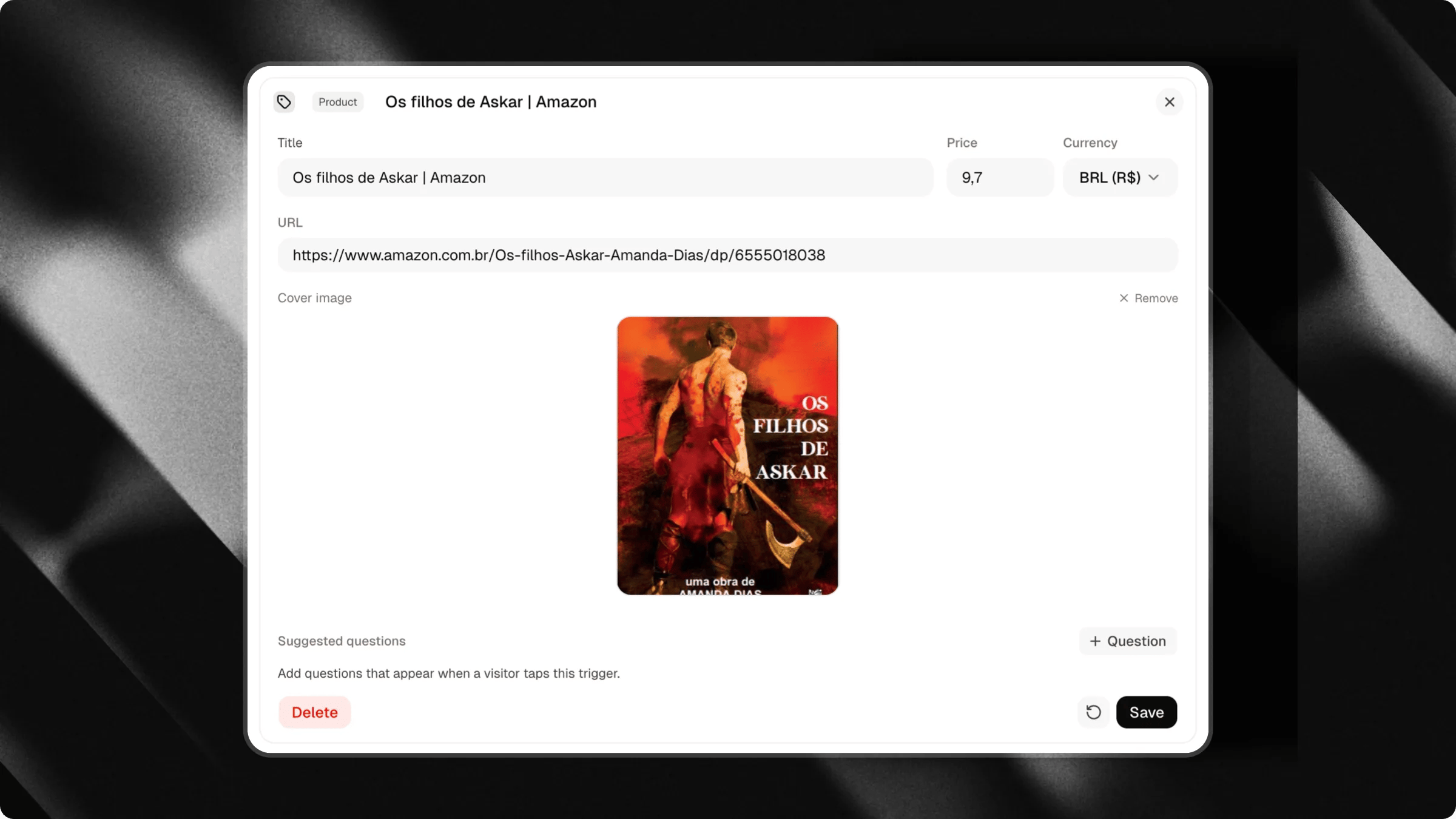
Setting up a product
Each product trigger includes:- Cover image: High-quality visual showcasing your item.
- Product title: Clear and concise name for the item.
- Price and currency: Amount and currency code (supporting USD, EUR, GBP, BRL, CAD, JPY, and more).
- Destination URL: Outbound link pointing directly to your checkout page, online store, or payment processor (e.g. Stripe, Shopify, Gumroad).
Automatic currency display: When visitors browse your chat in their preferred language, Attlas automatically converts and displays the equivalent price in their local currency.
Links and Shop tabs
In your chat settings, your triggers are organized across tabs:- Links & Media: For your links, cards, embeds, and contact shortcuts.
- Shop: For your products and store collections.
- Questions: For suggested conversation starters.
Organizing with sections
You can add Section dividers in your Shop tab to categorize your products (e.g. “Apparel”, “E-books”, “Accessories”, “Courses”).Best practices
- High-resolution images: Use clean, well-lit photos with consistent aspect ratios for a professional storefront look.
- Direct checkout links: Link directly to the specific product checkout or cart URL to minimize friction for the buyer.
- Descriptive titles: Keep product titles short so they fit neatly on mobile screens.
Learn how to add suggested questions to your chat
Guide visitors and spark conversations with curated prompts and AI-generated questions.