

To manage your questions, navigate to the “Triggers” page and switch to the “Questions” tab.
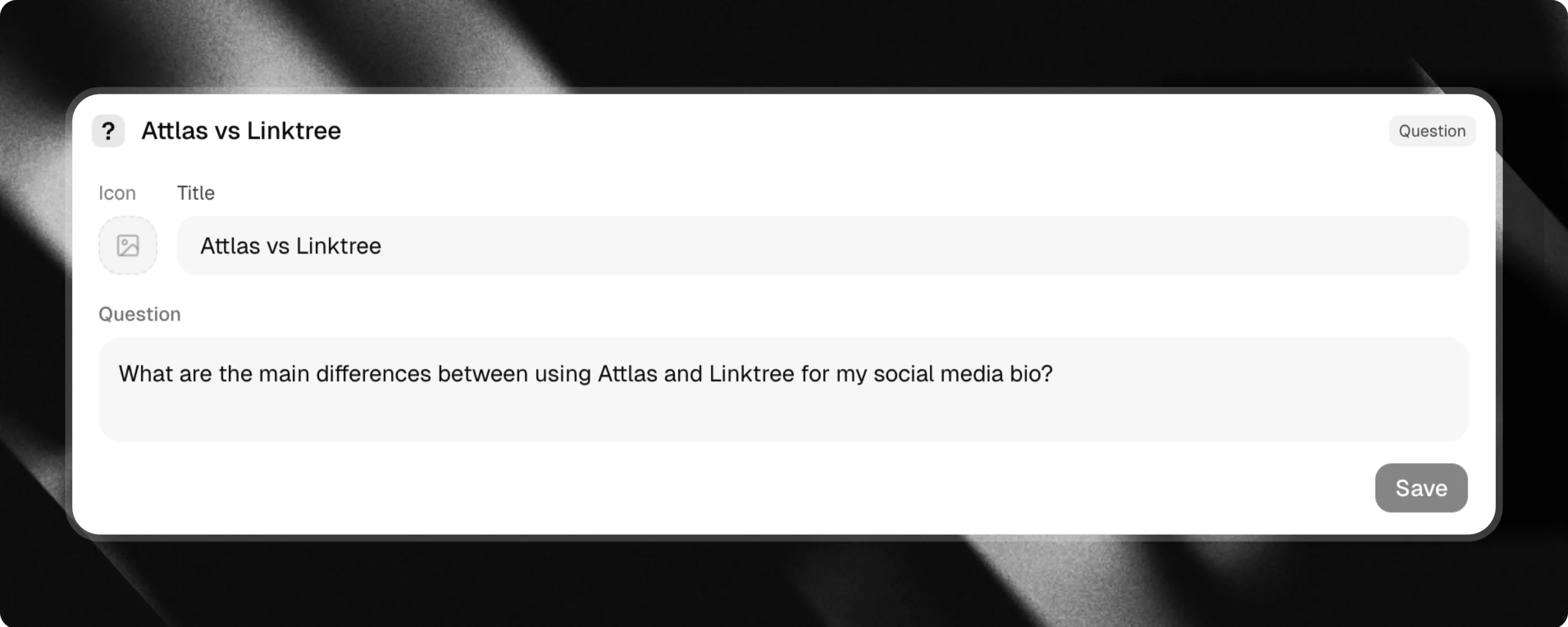
How questions work
Suggested questions give visitors quick prompts to learn more about you, your services, or your knowledge base. Common examples:- What services do you offer?
- What are your pricing plans?
- How does your onboarding process work?
- Where can I find your documentation?
Title is the label visitors see on the button. Make it concise and engaging. The Question is the actual prompt sent to the AI assistant when the button is clicked.
Generating questions with AI
Attlas can automatically generate relevant conversation questions based on documents in your knowledge base.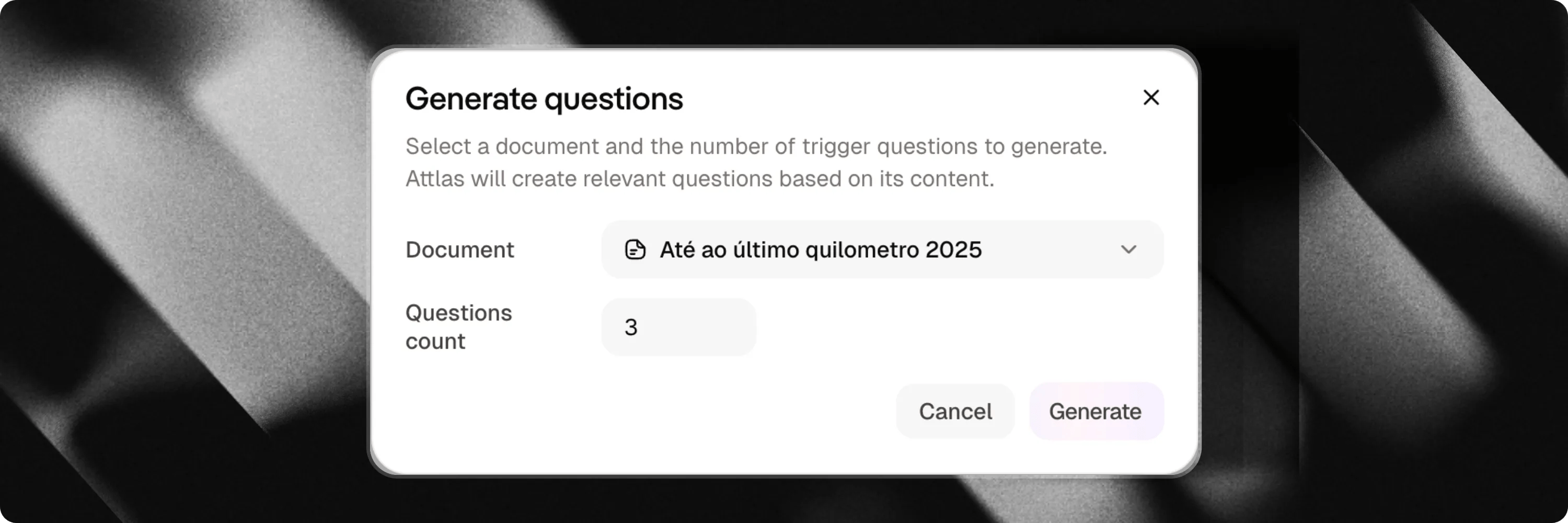
Step-by-step generation
- Click the AI Action Generate Questions button in the triggers header.
- Select the indexed document from your knowledge base that you want to generate questions from.
- Choose the number of questions you want to create (e.g. 3 to 10).
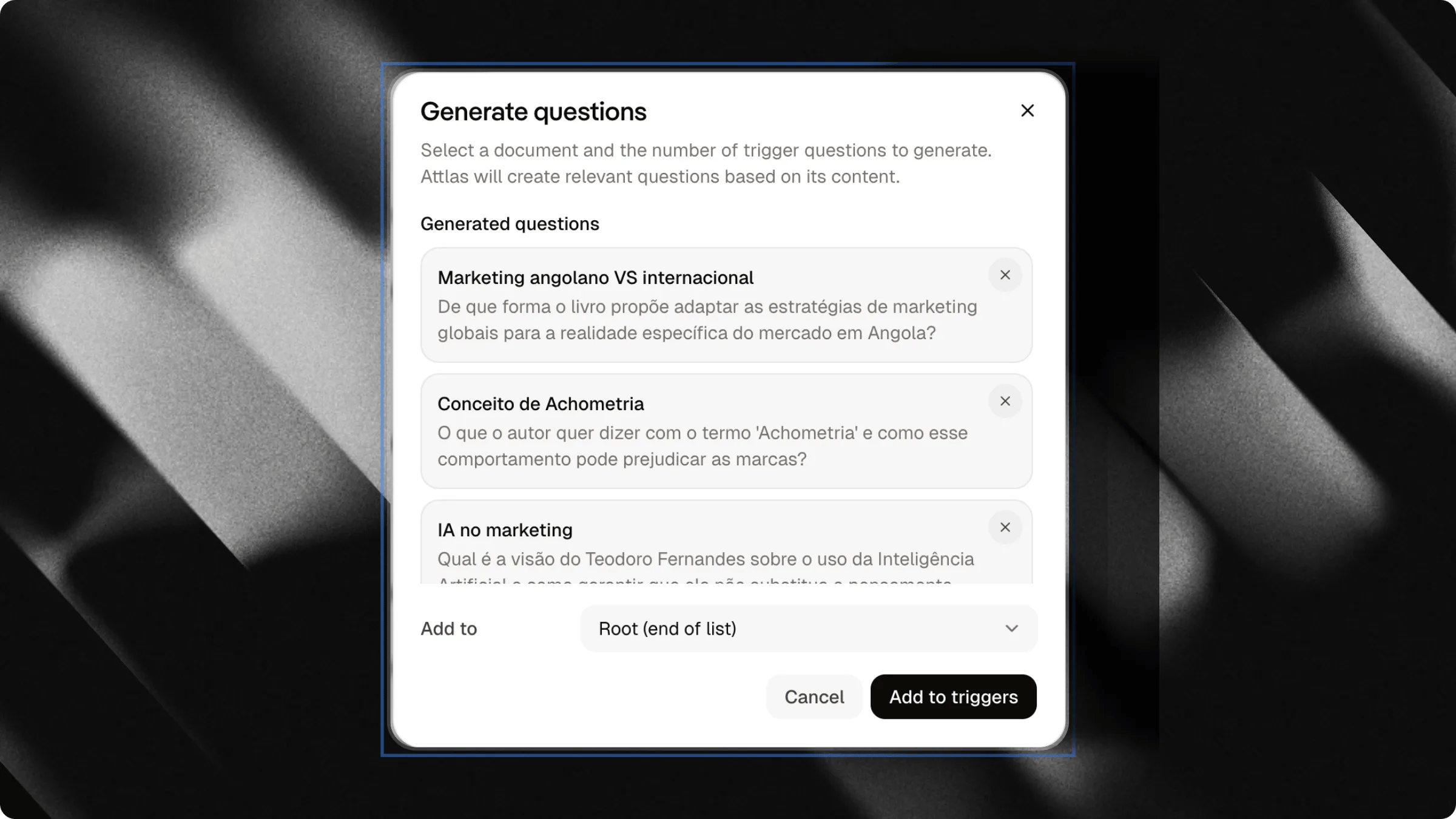
Refining suggestions
- Select questions: Check the boxes for the questions you want to keep.
- Deselect unwanted ones: Uncheck any suggestions that do not fit your goals.
- Target placement: Use the Target Parent selector to group questions under an existing section or foldable trigger, or select Root to keep them at the top level.
- Regenerate: Click Retry if you want a fresh set of suggestions.
Best practices
- Target high-intent topics: Create questions that address common inquiries, pricing, product capabilities, and contact options.
- Keep button labels short: Concise titles ensure questions remain readable on mobile screens.
- Group related questions: Use Section dividers or nest questions under relevant link triggers to keep the list organized.
Learn how to customize your chat theme
Personalize colors, fonts, bubbles, and visual styles to match your brand.