

Go to
Settings → Profile to configure your chat’s static information.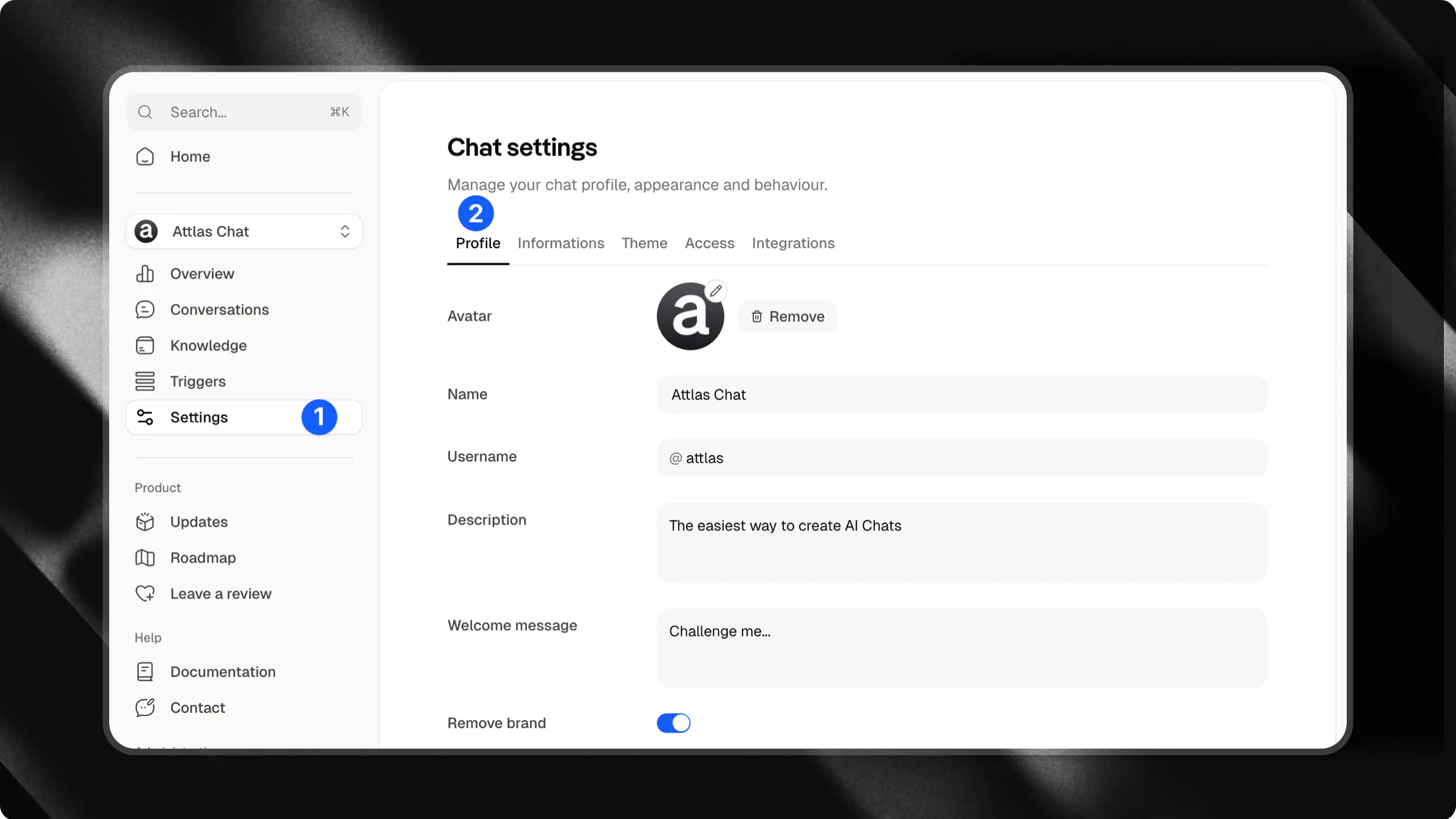
Your chat profile
Basic information is displayed as part of your chat’s identity and helps users quickly understand who is behind it.- Profile Picture: Upload an image that represents you, your brand, or your organization.
- Chat Name: Set the primary name that will be displayed to users.
- Username: Choose a unique identifier for your chat.
- Description: Write a short introduction explaining who you are, what you do, or how your chat can help users.
Social media
Connect your social media profiles so users can easily find your official channels. Examples:- TikTok
- YouTube
- X (Twitter)
Informations about you
In this section, you define who is behind the chat.Go to
Settings → Informations to configure your chat’s static information.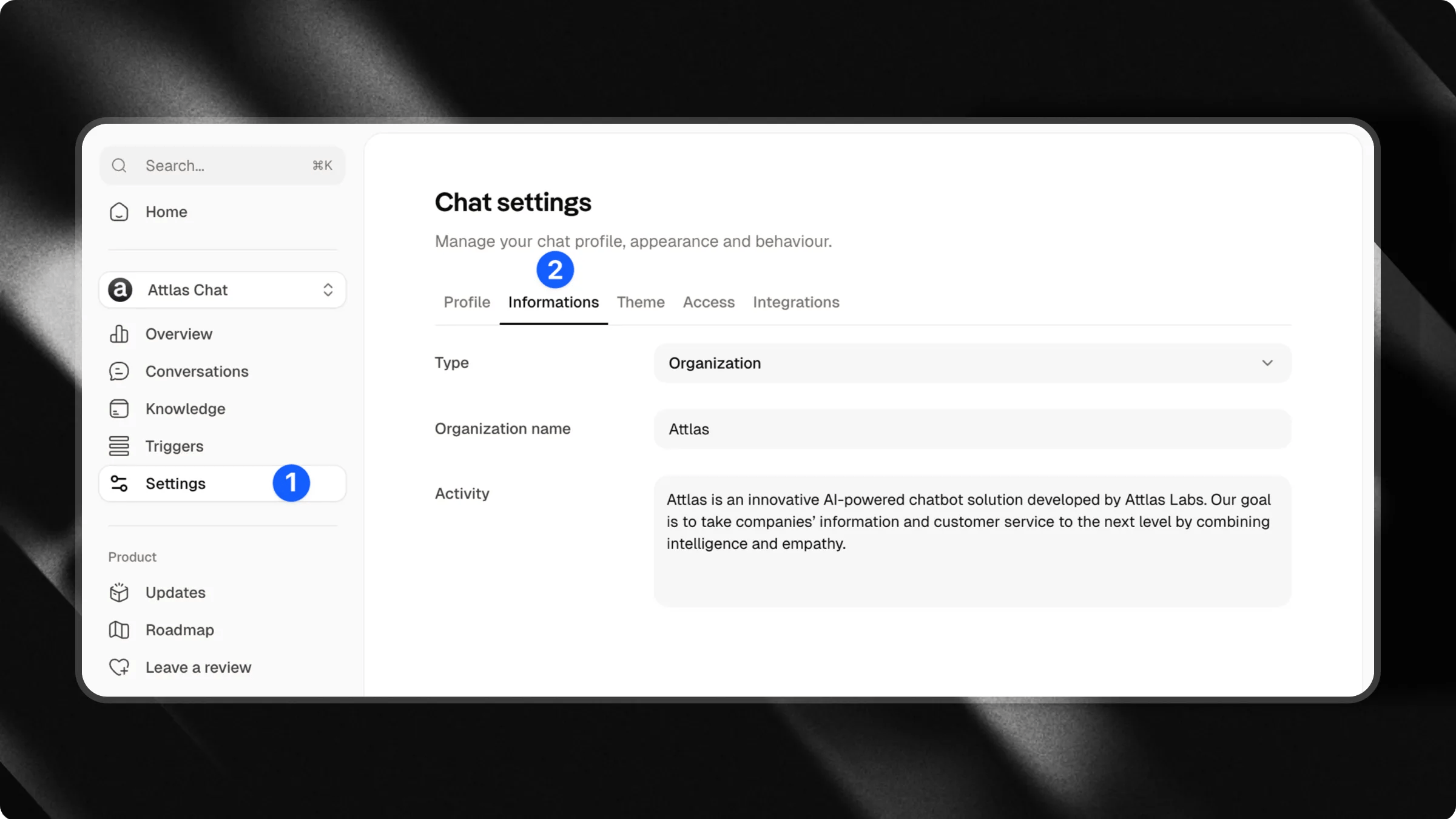
Profile type
Choose whether the chat represents:- An individual
- An organization
Name
Enter your full name or your brand name.Activity
Describe your primary area of activity. This helps Attlas better understand your context and answer questions related to what you do. Examples:- Accountant
- Lawyer
- Chef
- Writer
- Clothing store
- Marketing agency
- Financial consultancy
Contact information
In this area, you can provide information so users know how to contact you or your organization.- Website
- Phone number
- Address
- Business hours
- “What are your business hours?”
- “Where are you located?”
- “What is your phone number?”
- “How can I contact you?”