Answer reviewing is available exclusively on the Attlas Starter and PRO plan.
Why review a response that is already correct?
A response can be accurate and still have room for improvement. For example:- The answer may be too brief
- Important details may be missing
- The wording could be clearer
- New information may need to be added
- The response could be better aligned with your communication style.
How does answer reviewing work?
Inside the conversation history, every AI-generated response includes a Revise button. Regardless of the response’s score, you can click this button to open the answer reviewing panel. The experience is very similar to the corrections workflow.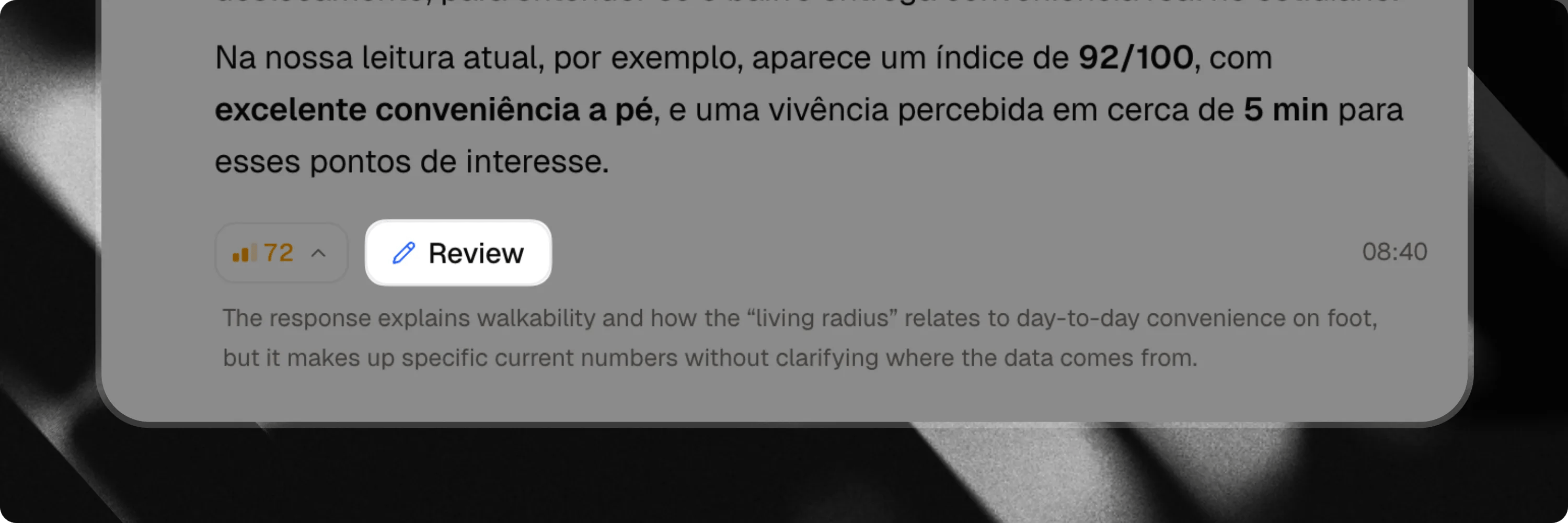
What information is available?
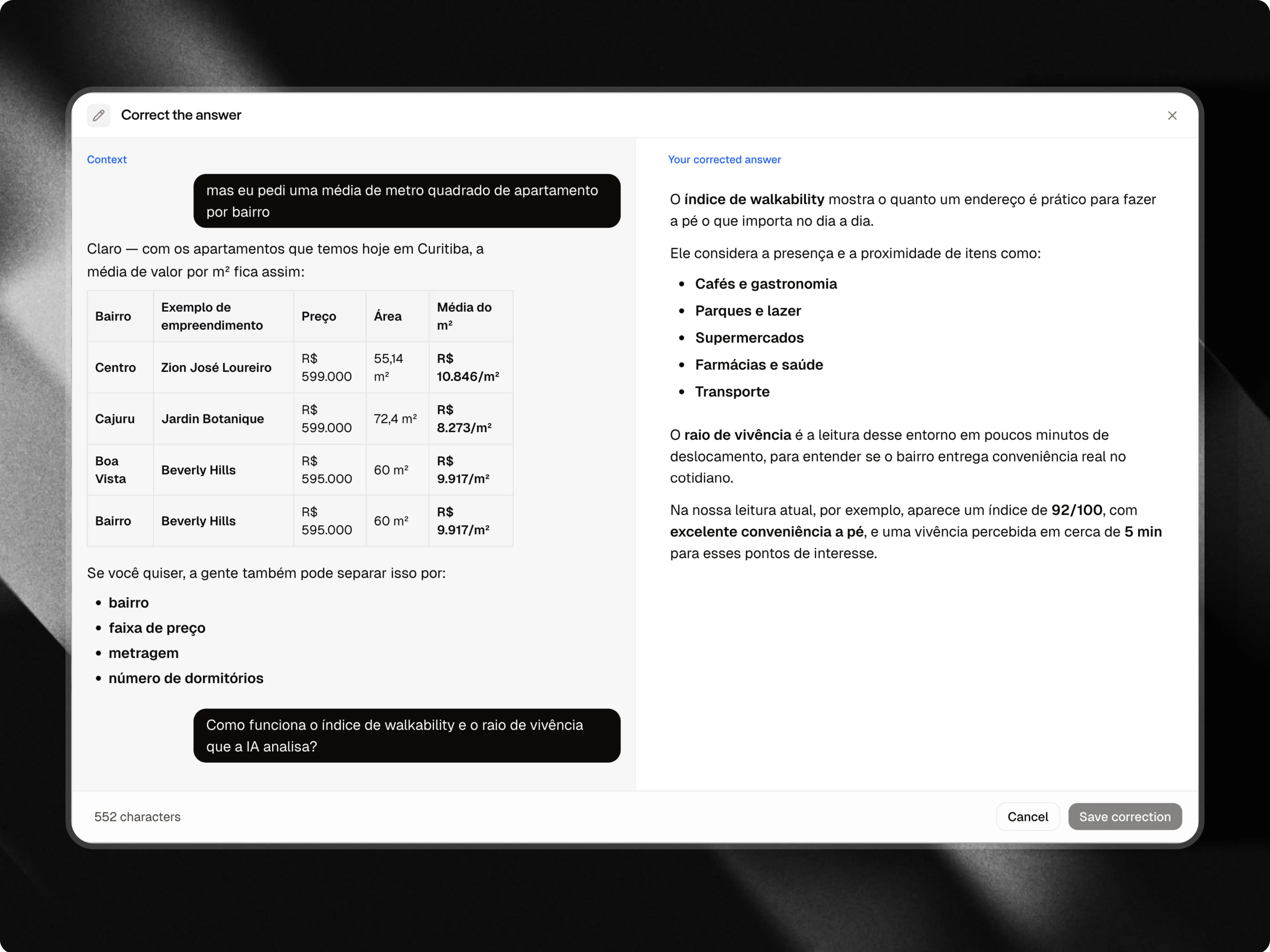
When reviewing a response, you’ll have access to the complete context of the interaction.Conversation context
Before making changes, you can review the messages that came before the response. This helps you understand what the user was discussing and what information they were looking for.User question
You’ll see the exact question that generated the response. Understanding the original question is essential for writing a better answer.Current response
The response originally generated by Attlas will be displayed for review. You can use it as a starting point or completely rewrite it if necessary.Response editor
The editor allows you to create an improved version of the response. You can:- Add missing information
- Improve clarity
- Expand explanations
- Update outdated content
- Adjust the tone and style of the answer.
What happens after saving?
Once the review is saved, Attlas stores the improved version as the preferred response for similar questions in the future. Whenever a user asks a related question, Attlas will prioritize the reviewed answer. This allows your chat to continuously evolve and improve without requiring constant changes to your knowledge base.When should you use answer reviewing?
Answer reviewing is especially useful when:- A response is correct but could be more complete
- You want to improve consistency across answers
- You want to align responses with your brand voice
- New information needs to be incorporated
- You want to provide a better user experience.
Corrections vs. Answer reviewing
Although both features improve response quality, they serve different purposes.Corrections
Used when a response receives a low coverage rate and requires a significant improvement.Corrections guide
See more about the corrections in our guide