

Go to
Settings → Themes to personalize your chat’s appearance.Want to explore the available pre-built themes?
Visit the Themes section in Get Started
What you’ll find in this section
The Attlas customization area is divided into different groups of settings. You can customize:- Colors
- Layout
- Typography
- Background Images
Live Preview: Throughout the customization process, you’ll be able to see all changes instantly in a real-time chat preview. This makes customization easier and ensures everything looks exactly the way you want before saving.
Colors
Define your chat’s primary colors, including buttons, backgrounds, text and highlighted elements. Colors help reinforce your visual identity and create a more consistent experience for your users.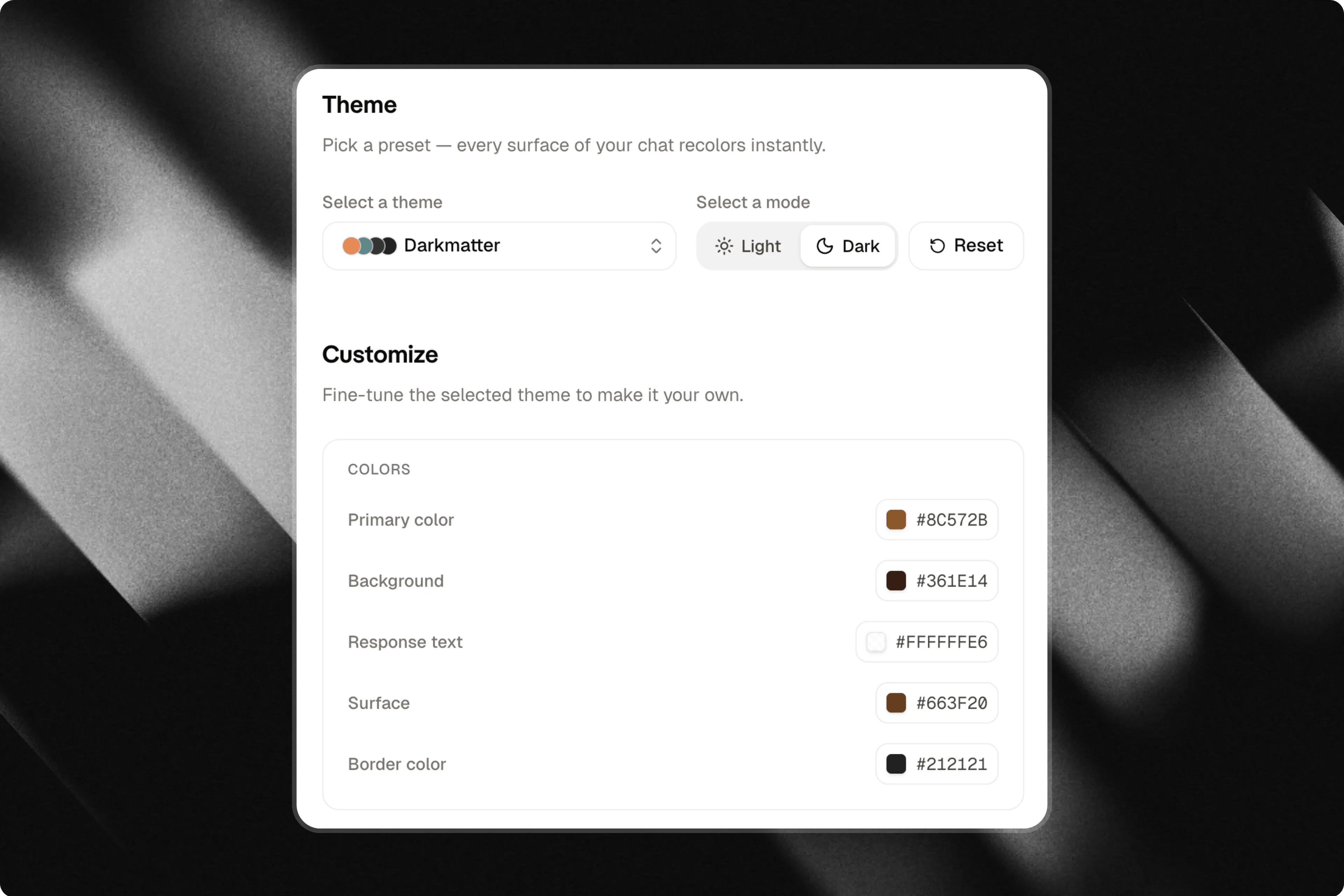
Layout
Adjust the shape and appearance of your chat components. You can configure elements such as corner radius, shadows and visual styles to make your chat feel more modern, minimalistic, or friendly.Typography
Choose the fonts used throughout your chat. Typography directly influences readability and personality, helping you create a more professional, creative, or institutional experience.Background images
Add custom background images to make your chat more unique. You can upload your own images or use external images to create an experience that matches your content and visual identity.Make it truly yours
Once you’ve finished configuring the Themes tab, your chat will reflect your visual identity much more accurately. The content remains the same, but the visual experience becomes more professional, memorable and aligned with your brand.Testing your chat
After saving your changes, all customizations will be applied automatically and your chat will be ready to share. Before doing so, we recommend testing your chat using the Playground. The Playground is a dedicated environment where you can experiment with your chat’s knowledge, personality and responses without consuming messages from your plan.Why customize your chat?
These settings allow Attlas to communicate exactly the way you want. You can create a chat that is:- More professional for businesses and organizations;
- More casual for creators and communities;
- More welcoming for education, support, or guidance;
- More creative for entertainment and interactive experiences.