
AI Reports is a Pro feature. Upgrade your workspace plan to generate and export custom AI reports.
To access AI Reports, click the Reports button in the top-right corner of the Overview dashboard, or navigate directly to
/overview/your-chat-slug/reports.Generating a Report
- Click Reports in the top navigation of the Overview dashboard.
- Click the Generate Report button.
- Select your desired time period:
- Pre-set ranges: Last 7 days, 14 days, 30 days, 90 days, or 12 months.
- Custom range: Select precise start and end dates using the calendar picker.
- Choose your preferred Report Language (for example English, French, Portuguese, Spanish, German, or Japanese). The report will be generated entirely in the selected language.
- Click Generate. Attlas will analyze your chat history and generate your report in seconds.
Available historical date ranges depend on your workspace plan level.
What’s Included in a Report
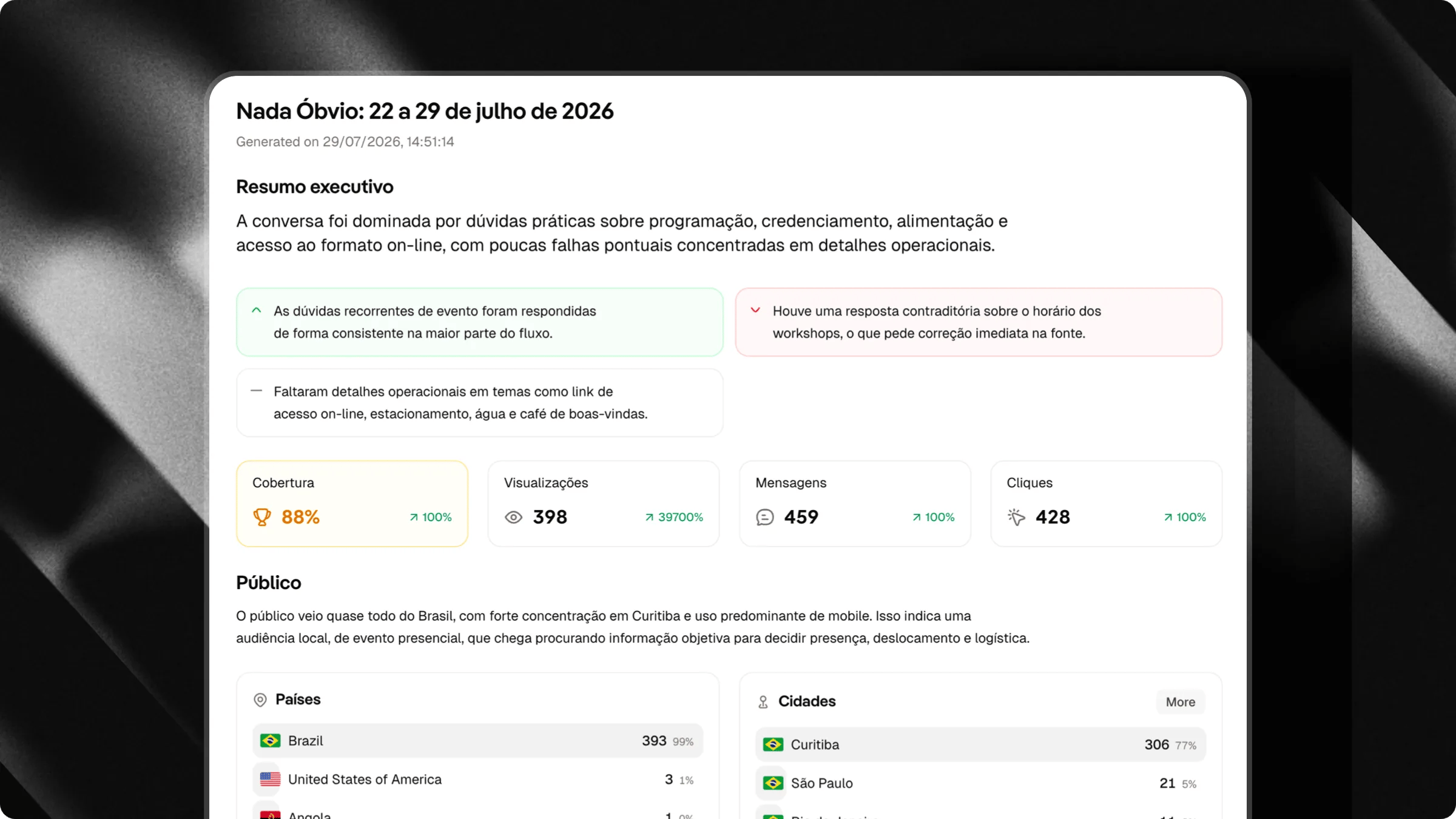
Each AI Report compiles data and AI analysis into actionable sections:- Executive Summary: Key highlights, top performing areas, and primary takeaways.
- Audience & Traffic Channels: Detailed breakdown of top countries, cities, device types, and visitor acquisition sources.
- Engagement & Activity: Visual charts of conversation volume, message counts, funnel conversion, and top clicked triggers.
- What Worked vs What Didn’t: Clear breakdown of successful user interactions compared to areas where visitors experienced friction.
- Blind Spots & Knowledge Gaps: Highlights questions where the AI provided weak or incomplete responses, showing you exactly what information is missing from your knowledge base.
- Actionable Recommendations: Tailored, step-by-step suggestions generated by AI to help you optimize triggers, update training documents, and increase response quality.