

Accessing your contacts
To view your leads, click on the CRM tab located in the left-hand sidebar of your workspace.
Views: Table and Pipeline (Kanban)
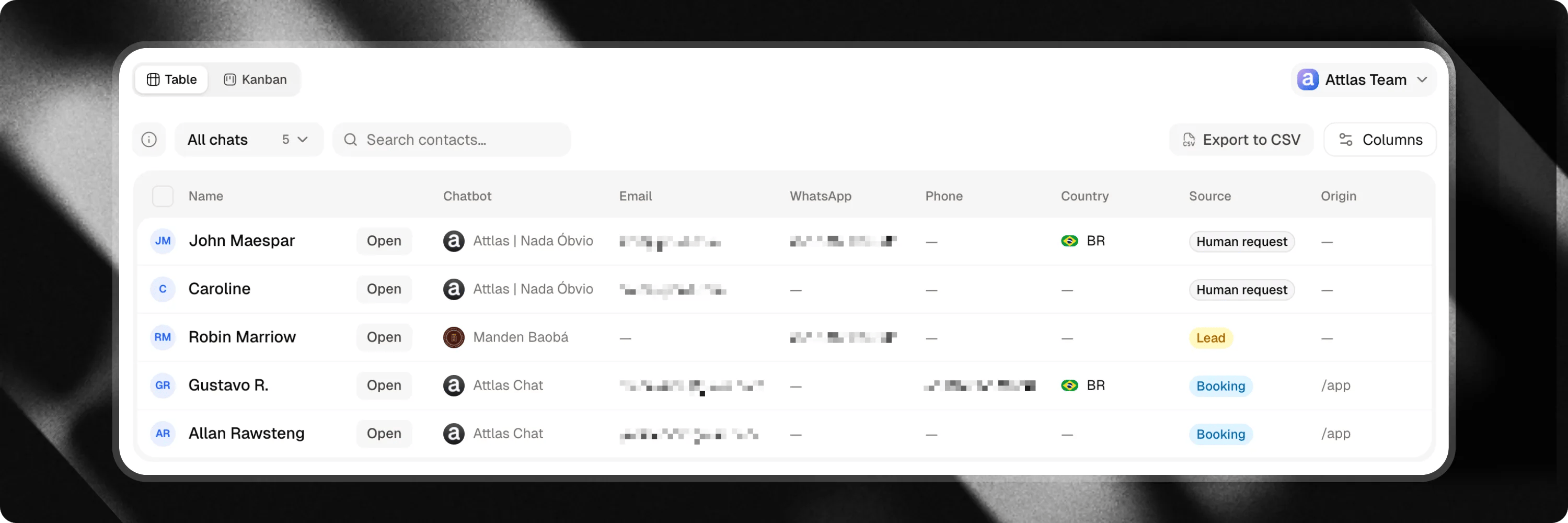
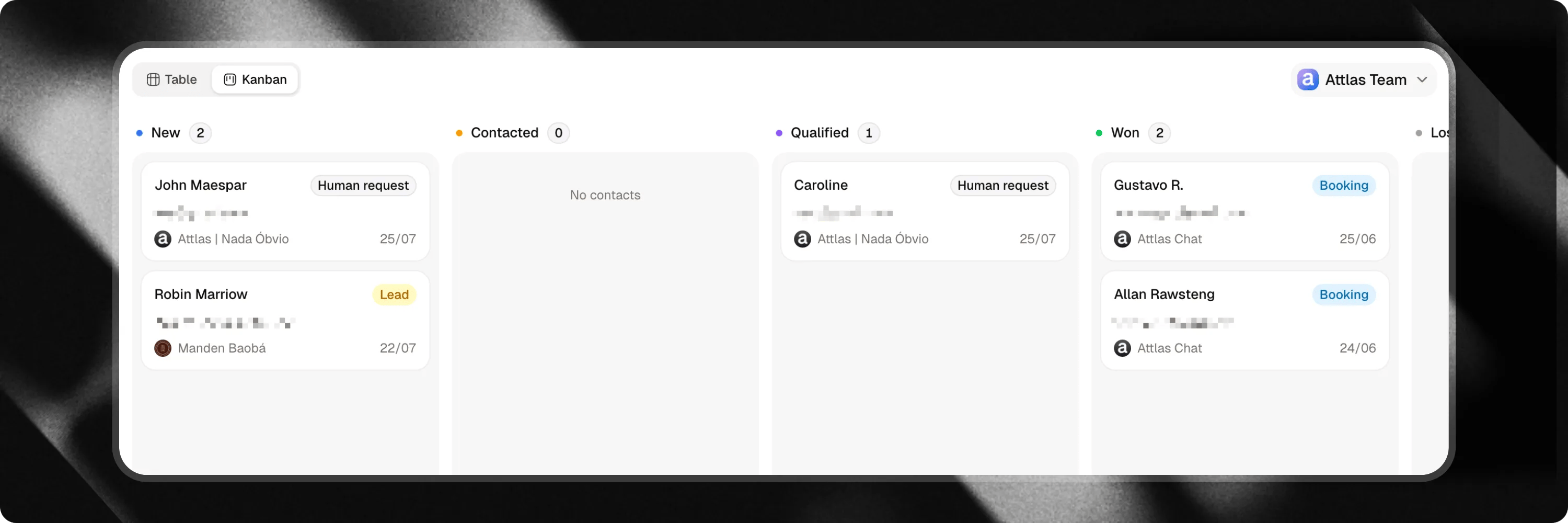
Attlas provides two complementary views to help you organize and process leads according to your workflow.Table View
Filtering and Exporting
- Filter by Chatbot: Narrow down your contact list to leads collected by a specific chatbot.
- Search: Locate contacts instantly by name, email, or phone number.
- Export to CSV: Click the Export CSV button to download your lead list for use in external tools like HubSpot, Salesforce, or Mailchimp.
- Bulk Delete: Select multiple rows to delete unwanted test entries or old contacts in bulk.
Board (Kanban) View
Contact details and conversation history
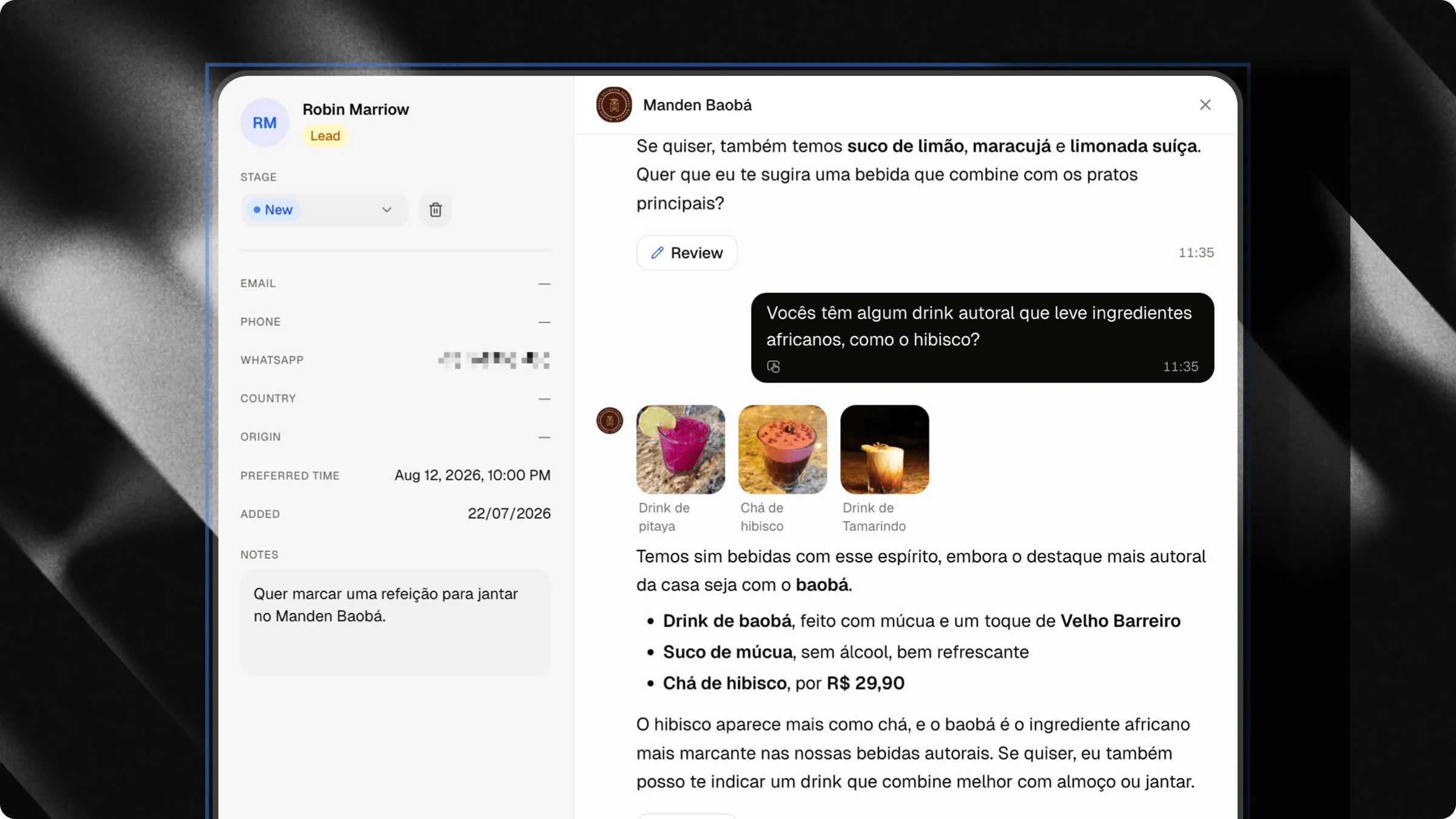
Lead Details and Notes
- Edit Pipeline Stage: Change stage status directly from the dropdown menu.
- Add Notes: Keep context-rich notes for your team (for example, specific customer requirements or call summaries). Notes save automatically.
- Appointments: Review connected calendar bookings and meeting details.
Inspecting Conversation History
Switch to the Conversation tab inside the contact modal to view the exact transcript where the lead was captured. Reviewing the conversation context helps you understand visitor intent before making outreach.Data privacy and encryption
Attlas protects your visitors’ sensitive contact details by default.Personally Identifiable Information (PII) such as email addresses, phone numbers, and WhatsApp numbers are encrypted at rest on Attlas servers. They are decrypted securely on-the-fly only when authorized workspace members view the contacts interface.