

Accessing conversation history
To access your conversation history, click on the Conversations tab located in the left-hand sidebar.
What information is available for each conversation?
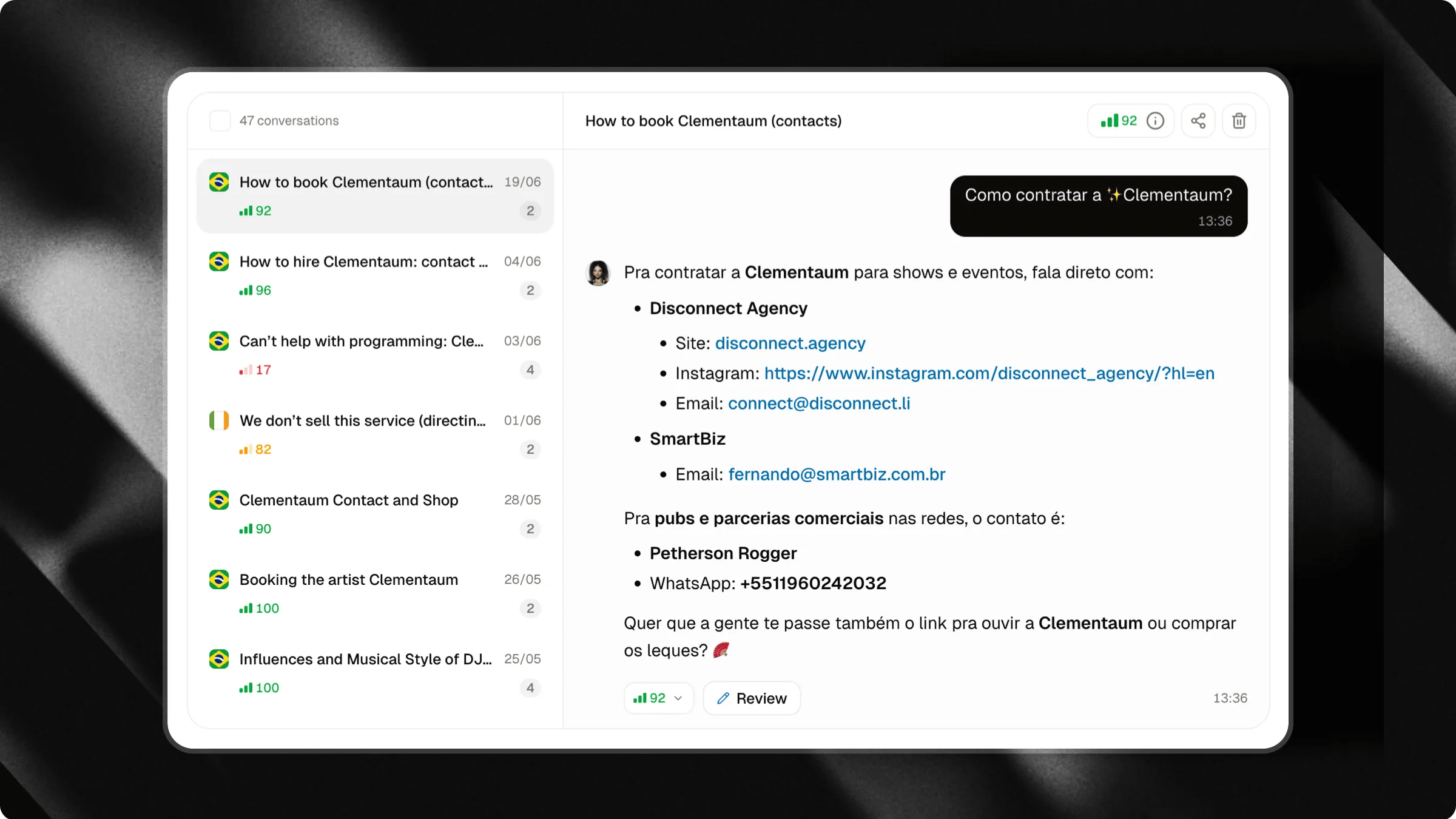
Each conversation displays information that helps you quickly understand the context and performance of the interaction. This includes:- Conversation title
- Total number of messages exchanged
- Average conversation coverage rate
- Date and time of the interaction
- User’s country
Viewing a conversation
Clicking on any conversation in the list will open the full conversation history on the side. You can review every message exchanged between the user and the chat, allowing you to analyze the interaction in detail. This analysis is extremely useful for:- Understanding frequently asked questions
- Discovering new topics of interest
- Identifying missing information in your knowledge base
- Improving the quality of your chat’s responses
Sharing conversations
In addition to reviewing conversations, you can also share them with others. This is useful when an interaction contains valuable information, insightful questions, or examples worth reviewing with your team, clients, or partners. Examples:- Sharing frequently asked questions with your support team;
- Showing interesting conversations to your sales team;
- Reviewing responses internally before updating the knowledge base;
- Sharing chat examples with clients or collaborators.
How to share a conversation
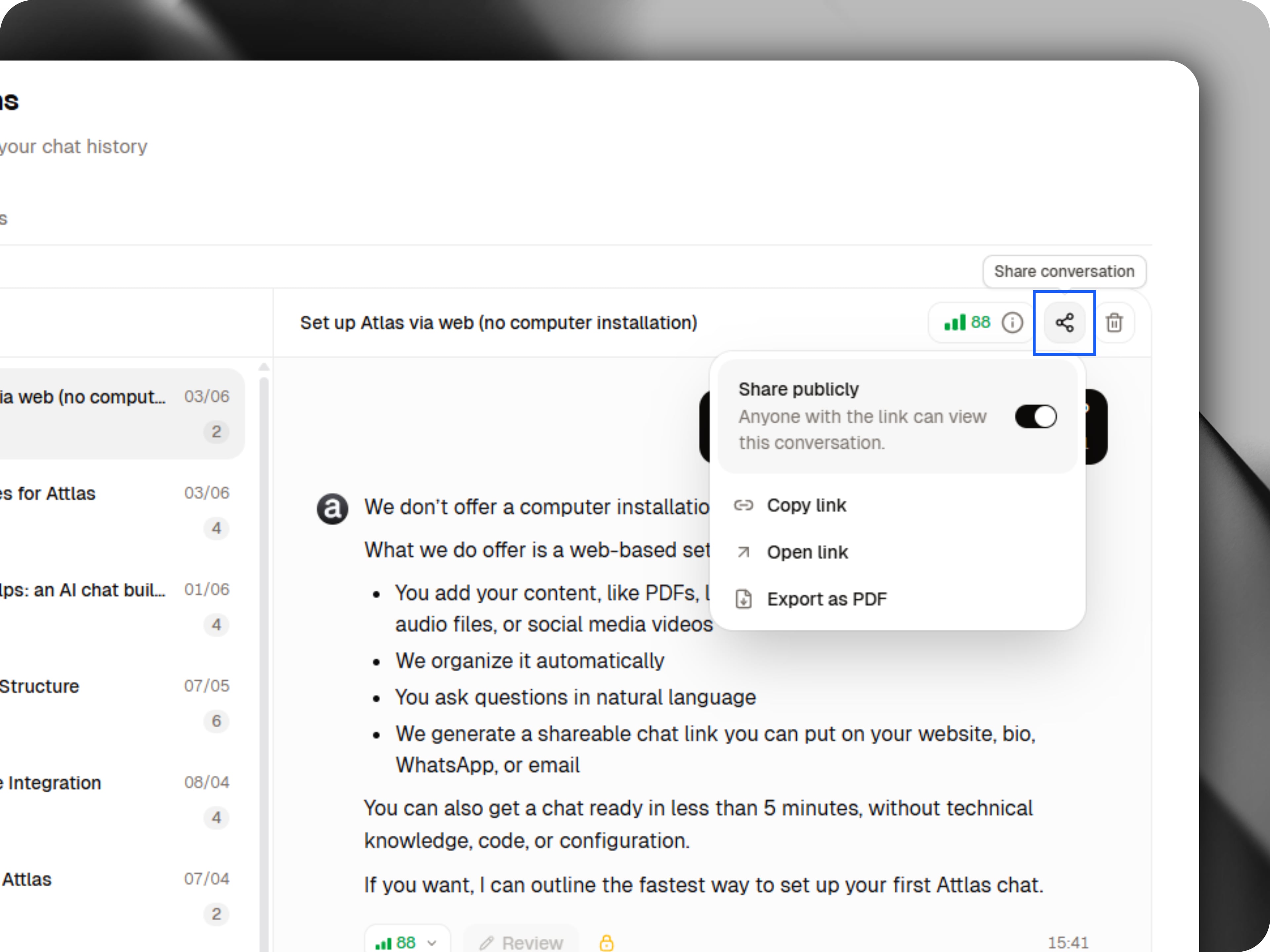
To share a conversation:- Open the desired conversation;
- Click the Share button located at the top of the conversation;
- Copy the generated link and send it to anyone you’d like.
Message coverage rate
In addition to the average coverage rate displayed for each conversation, every individual message also receives its own coverage evaluation. This score indicates how complete and accurate the chat’s response was. By reviewing these ratings, you can quickly identify responses that may need improvement.Coverage Rate Guide
Learn more about Coverage Rate in our dedicated guide.
Improving responses with corrections and answer reviewing
Conversation history is also the starting point for continuously improving your chat’s performance. By reviewing conversations and messages, you can identify responses that may need attention and access dedicated tools designed to help you improve them.Corrections
If a conversation or message receives a low coverage score, it may appear in the Corrections tab.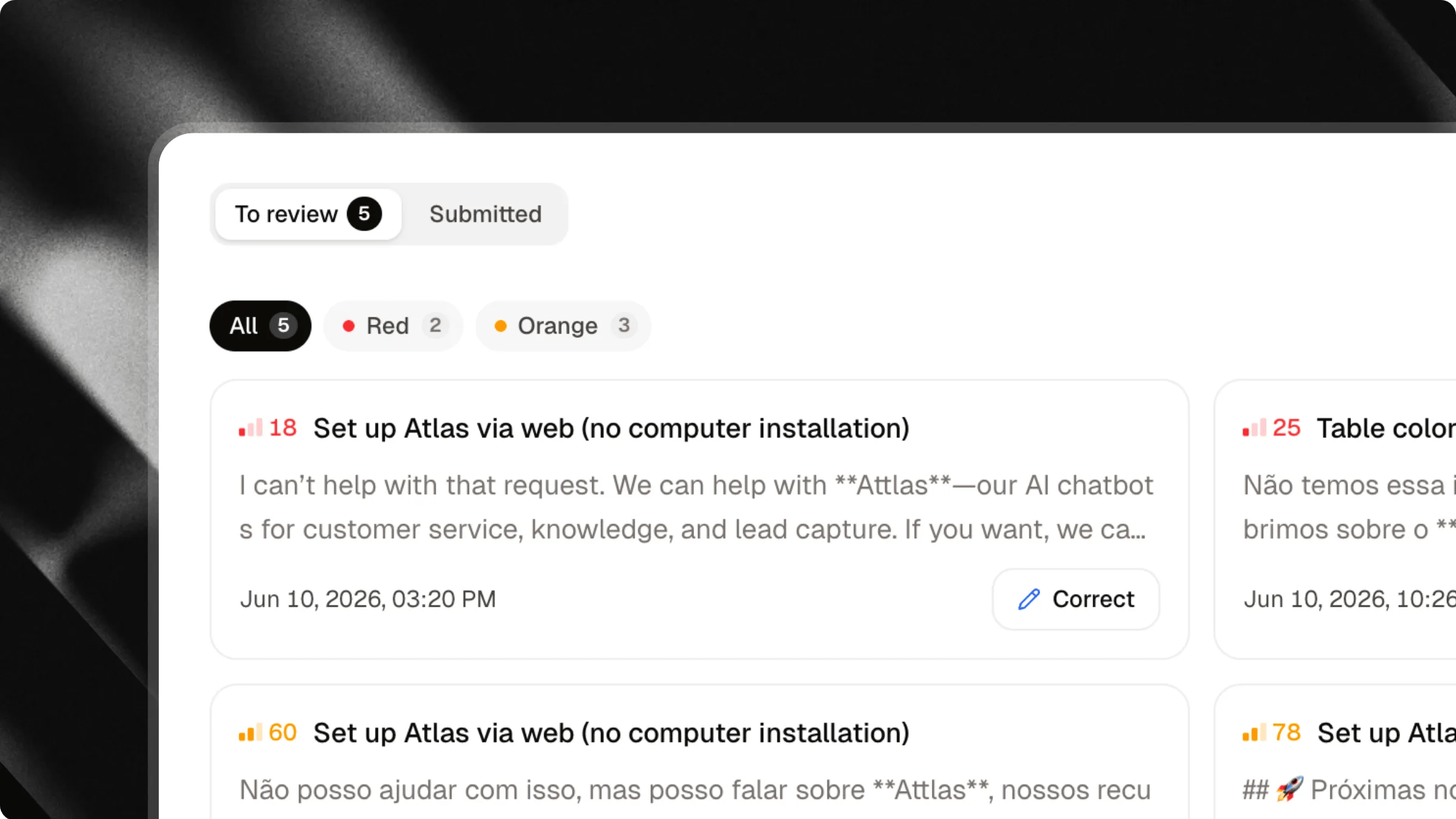
Corrections guide
Learn more about how Corrections work in our dedicated Corrections guide.
Answer reviewing
In addition to low-coverage responses, any answer generated by your chat can be individually reviewed through the answer reviewing feature. This allows you to analyze, validate and improve responses, even when they received a high coverage score. The goal is to help you maintain a consistently high level of quality across all interactions.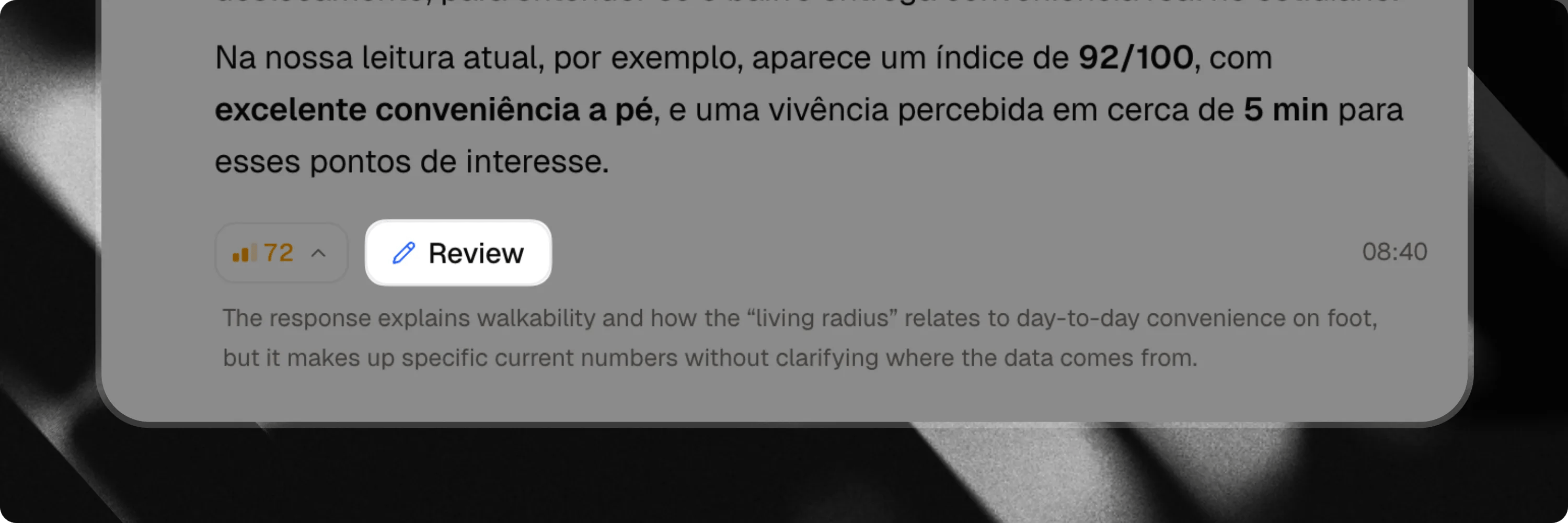
Answer reviewing
Learn more about how answer reviewing work.
Corrections and Answer Reviewing are premium features available exclusively on the Attlas Starter and PRO plan.