
Key events
Attlas triggers webhooks for four main events:contact_created is sent when a new contact is created. If a returning visitor is recognized through deduplication (email, phone, or conversation history), Attlas emits contact_updated instead.How to set up Webhooks
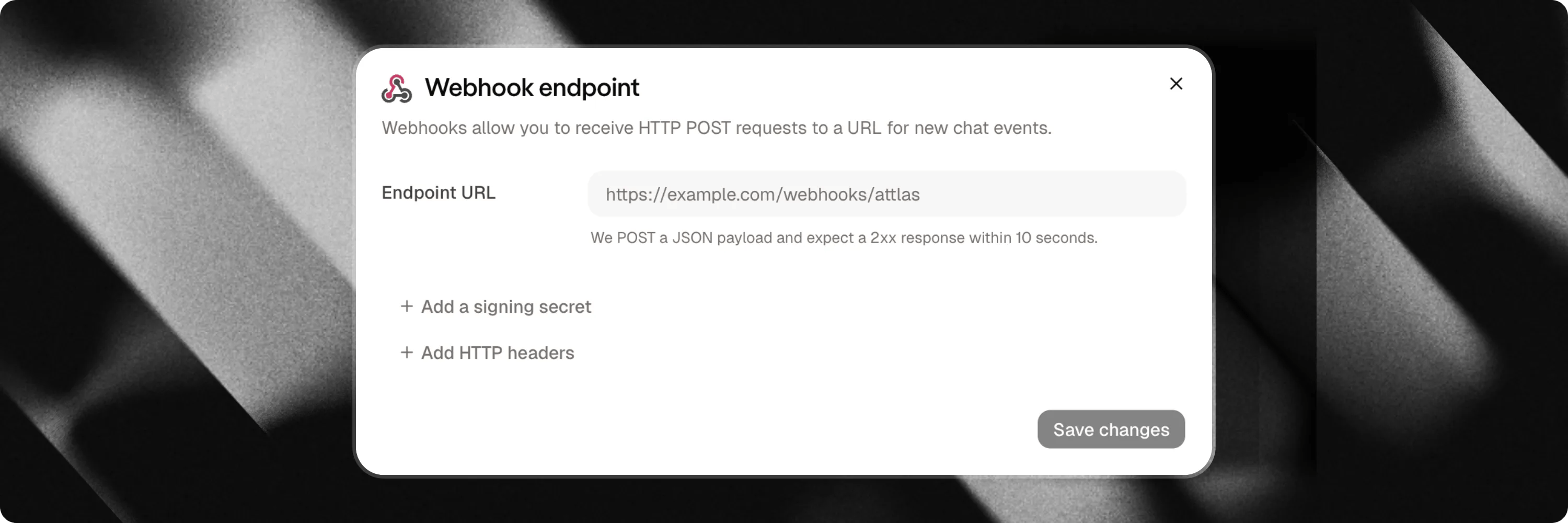
Setting up a webhook endpoint takes less than a minute:- Navigate to your Chat Settings.
- Select the Integrations tab.
- Locate the Webhooks card and click Connect.
- Enter your destination Webhook URL (must be a secure
https://endpoint). - (Optional) Configure custom HTTP headers if your receiving server requires specific header tokens.
- (Optional) Generate an HMAC Signing Secret to verify payload authenticity.
- Click Save to activate.
Payload structure
Each payload is sent as a JSON object containing details about the event and the associated chat:The
data object only includes non-empty fields. Optional fields that were not provided by the visitor are omitted to keep payloads clean.Lead intent & exit channels (kind, channel, whatsapp)
For contact events, Attlas enriches payload details with intent and channel metadata:
kind: Identifies the raw intent of the contact creation:lead_capture: Standard lead capture form submission.human_request: Visitor requested to speak to a human.booking: Meeting scheduled via Google Calendar.whatsapp: Visitor engaged via WhatsApp trigger.
channel: Specifies the exit medium when applicable (e.g."whatsapp"when the visitor leaves via a WhatsApp trigger; omitted when empty).whatsapp: The visitor’s WhatsApp phone number if provided or captured.
Conversation history & message objects
Whenconversation_id is present in data (for contact_created, contact_updated, and event_created), Attlas attaches the full message history of the conversation in data.history, ordered from oldest to newest.
Each message item in history contains:
type:"user"for visitor messages, or"assistant"for AI responses.content: The text content of the message.manual:truewhen the visitor manually typed the message, orfalsewhen generated via a quick-reply pill or sent by the assistant.timestampz: ISO 8601 timestamp of the message creation.
Security & Verification
To ensure requests originate from Attlas, you can generate a Signing Secret in your webhook settings. When enabled, every request includes anX-Attlas-Signature header containing a timestamp and an HMAC-SHA256 signature (t=timestamp,v1=signature).
Delivery, retries & monitoring
- Security checks: Destination URLs must use public
https://. Localhost and private IP addresses are blocked. - Timeouts & retries: Requests have a 10-second timeout. If your server returns a
5xxerror or times out, Attlas automatically retries delivery up to 3 times with exponential backoff. - Delivery logs: You can view recent delivery attempts, status codes, and error messages directly inside your Attlas settings dialog.