Key benefits
- No content duplication: Your documentation stays the single source of truth. Attlas reads it live instead of requiring a separate copy.
- Always up to date: Any change you publish on your docs site is reflected in the assistant’s answers automatically, there is nothing to resync.
- Cited answers: When the assistant uses your documentation to answer, the chat shows a collapsible list of the sources it used, so visitors can dig deeper if they want.
- No credentials required: You only provide your public documentation URL. Attlas never stores an API key or password for this integration.
How to set up Mintlify
- Navigate to your Chat Settings in the Attlas dashboard.
- Select the Integrations tab.
- Locate the Mintlify MCP card and click Connect.
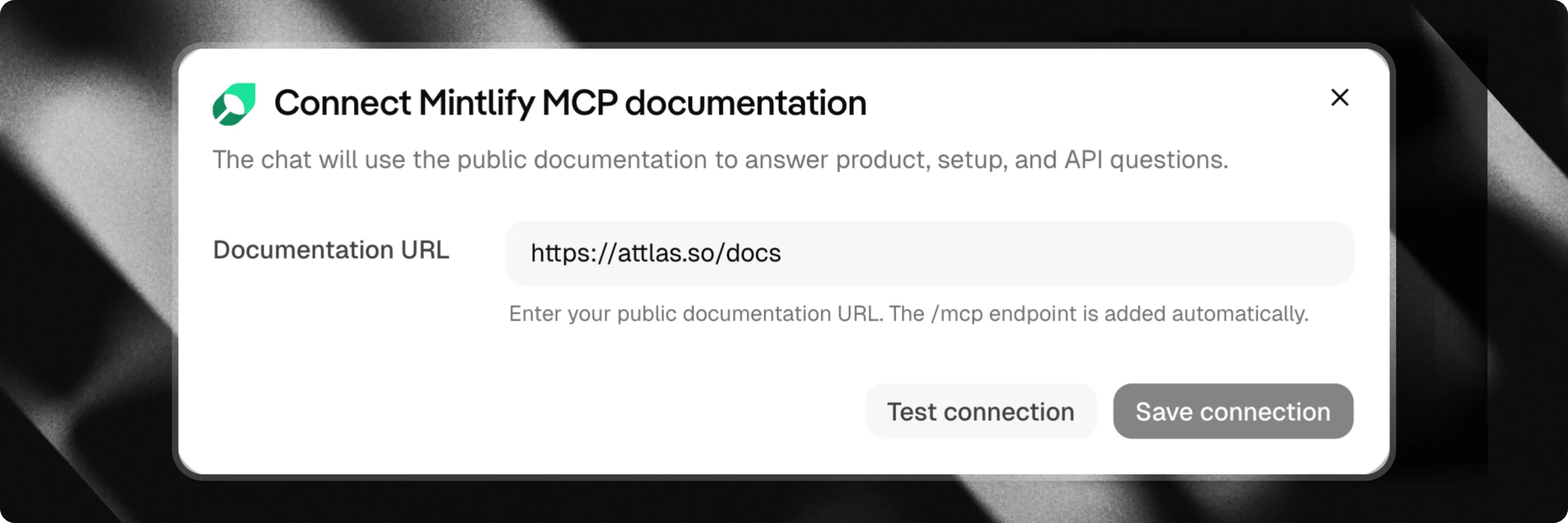
- Enter your Documentation URL, the public web address of your Mintlify docs site.
- Click Test connection to confirm Attlas can reach and search your documentation.
- Once the test succeeds, click Save connection to activate the integration.
You only need your documentation’s public URL. Attlas automatically finds the right endpoint on your site, there is nothing else to configure.
Only chat owners and editors can connect, edit, or remove this integration. Other collaborators can see that it is connected but cannot change it.