


Set up your chat by talking to it
Type what you want in your dashboard. The agent reads your numbers, adds your questions, changes your theme and grows your knowledge. You watch each change land in the preview.
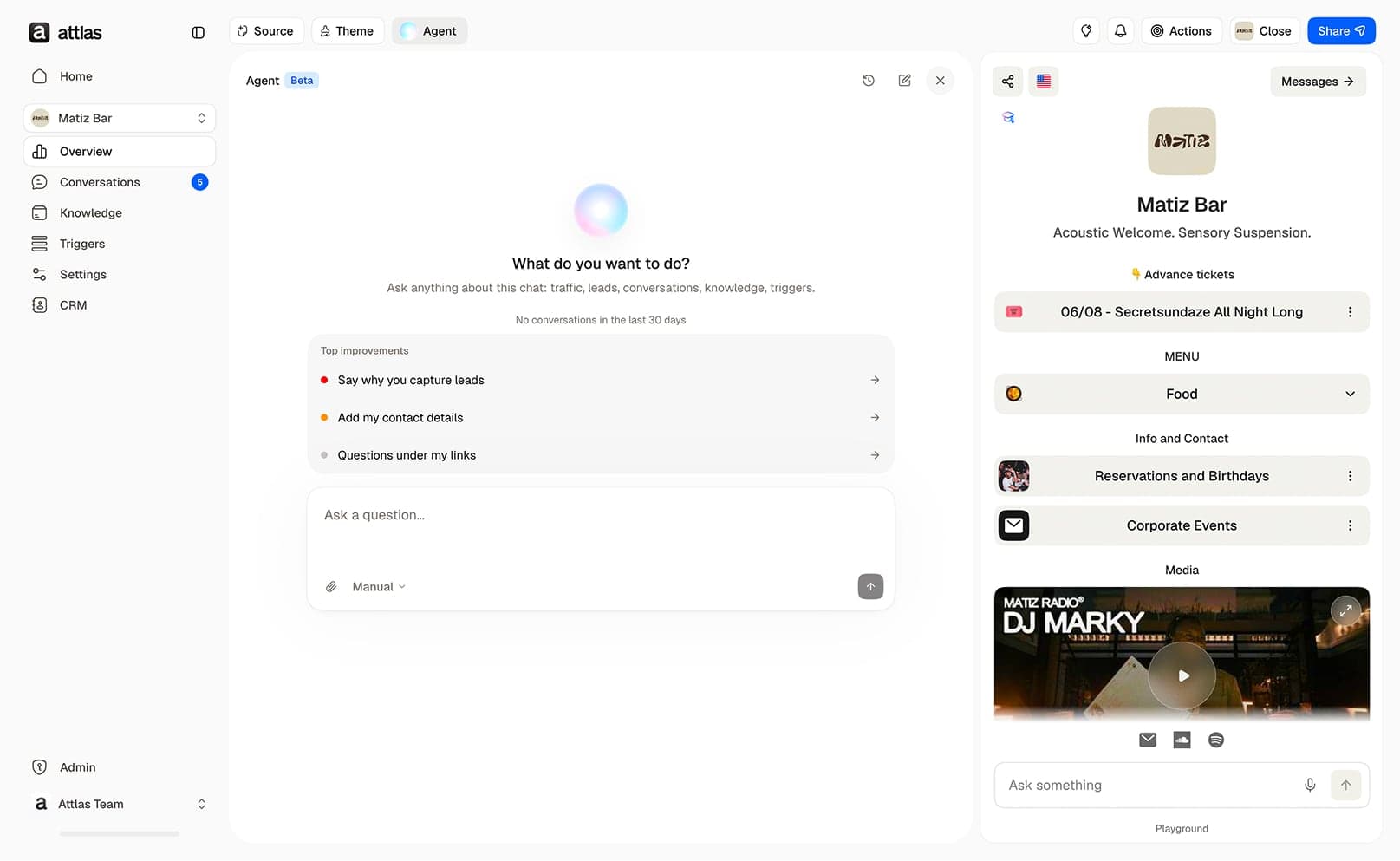
Ask it like you would ask a teammate
Ask for this week's leads and it lists them. Send it your pricing PDF and it adds it to your chat's knowledge. Tell it to switch to a darker theme and it's done.
Each time you start a conversation, it also shows you the three most useful improvements for your chat.
What do you want to do?
Ask anything about this chat: traffic, leads, conversations, knowledge, triggers.
What it can do
It reads
- Visits, leads and conversions
- Visitor conversations
- Contacts and appointments
- Questions your chat answered badly
- Knowledge documents and reports
It changes
- Suggested questions: add, edit, reorder, group
- Theme, branding, avatar and social links
- Goal and personality
- Description, greeting and SEO
- Knowledge: links, files, documents, corrections
Deleting, changing your chat URL, connecting an integration and billing stay in the dashboard. The agent points you to the right screen.
You stay in control
Manual
The agent shows each change on a card. You click Apply or Refuse.
Auto
The agent applies changes right away and shows you what it did.
In both modes, it deletes nothing.
The same agent, from Claude, Codex or Cursor
Connect Claude, Codex, Cursor or any MCP client to your Attlas workspace. You get the same actions and the same advice without opening the dashboard.
Included in every plan
- Free
- 20agent messages per month50chat replies per month
- Starter
- 100agent messages per month500chat replies per month
- Pro
- 300agent messages per month4,000chat replies per month
Agent messages are the requests you send to the agent to manage your chats. They come out of a separate quota from your chat's replies to visitors. Each request counts as one message, Apply and Refuse are free. See pricing