You can now enable Auto Sync for link-based knowledge sources
If one of your knowledge sources is a URL, Attlas can automatically re-read and update the content whenever the original page changes — no manual re-upload required.
How it works
When Auto Sync is enabled, Attlas periodically checks the original link.
If the content has been updated, the chat automatically reprocesses the information and refreshes its knowledge base.
Custom Sync Frequency
You can choose how often Attlas checks for updates:
- Every 15 minutes
- Every hour
- Daily
- Weekly
- Monthly
- Or keep it turned off
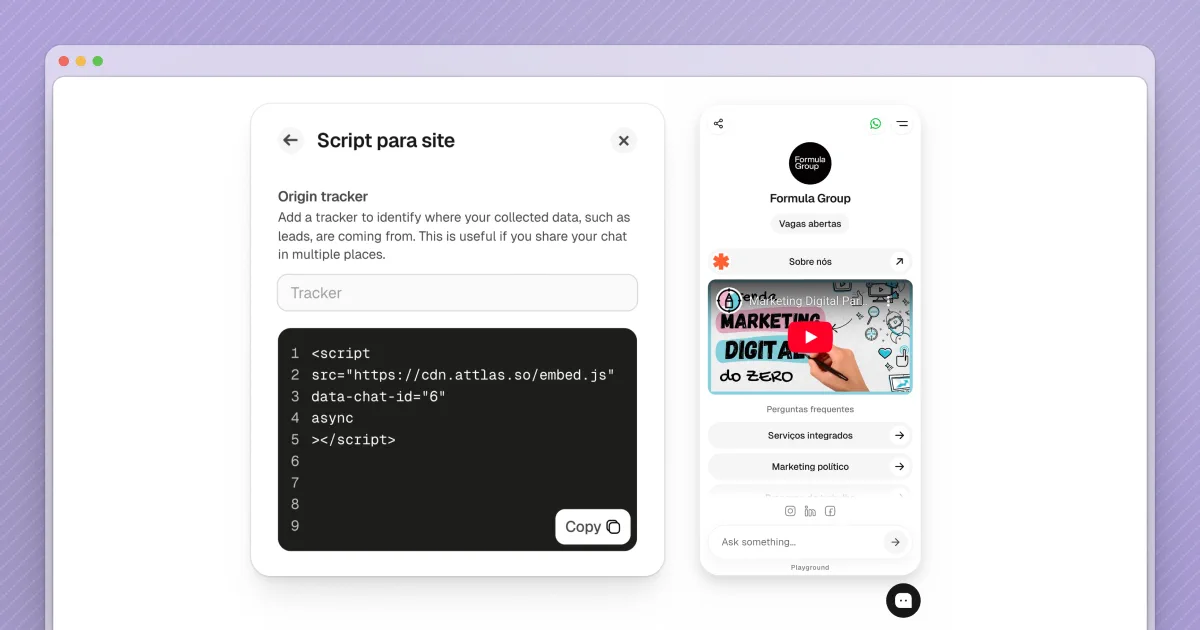
Embedding Attlas into websites is now even easier.
We’ve released a new version of the Attlas Script, designed to work on any web page — including Notion pages.
What’s new:
- Lightweight and simple script to embed your chat anywhere
- Origin Tracker to identify where conversations and leads are coming from
With Origin Tracker, you gain visibility into which pages generate the most engagement, without needing multiple chats.
More context, better insights, and frictionless installation.
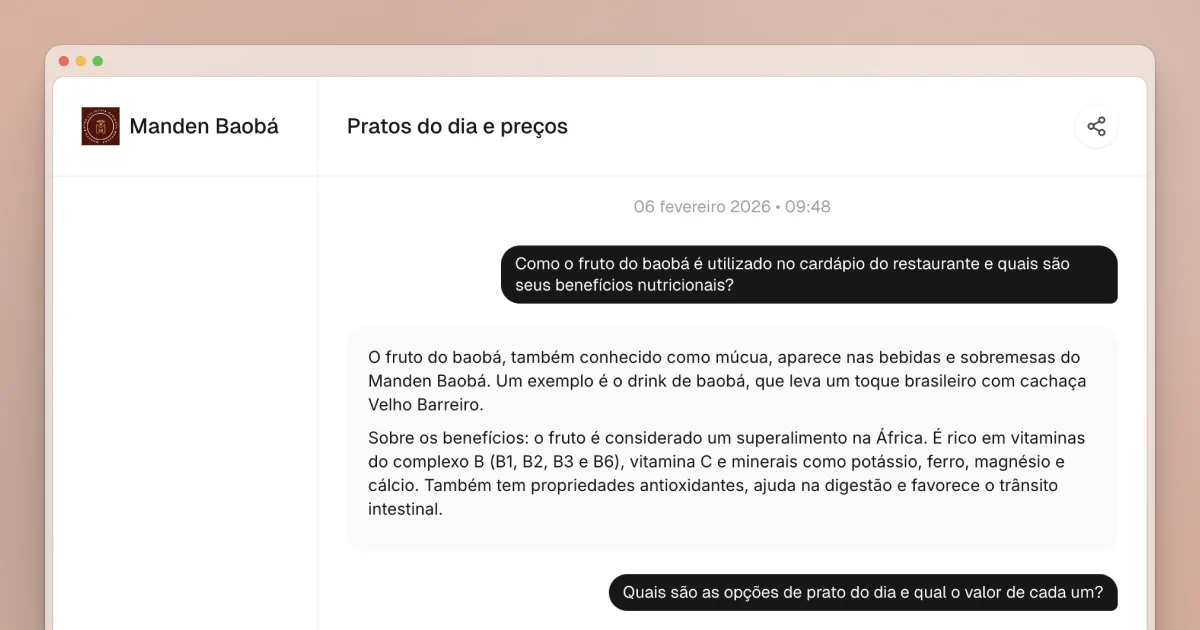
You can now share Attlas conversations with ease.
Simply copy the link available at the top of each conversation or choose a sharing option, such as WhatsApp and other platforms.
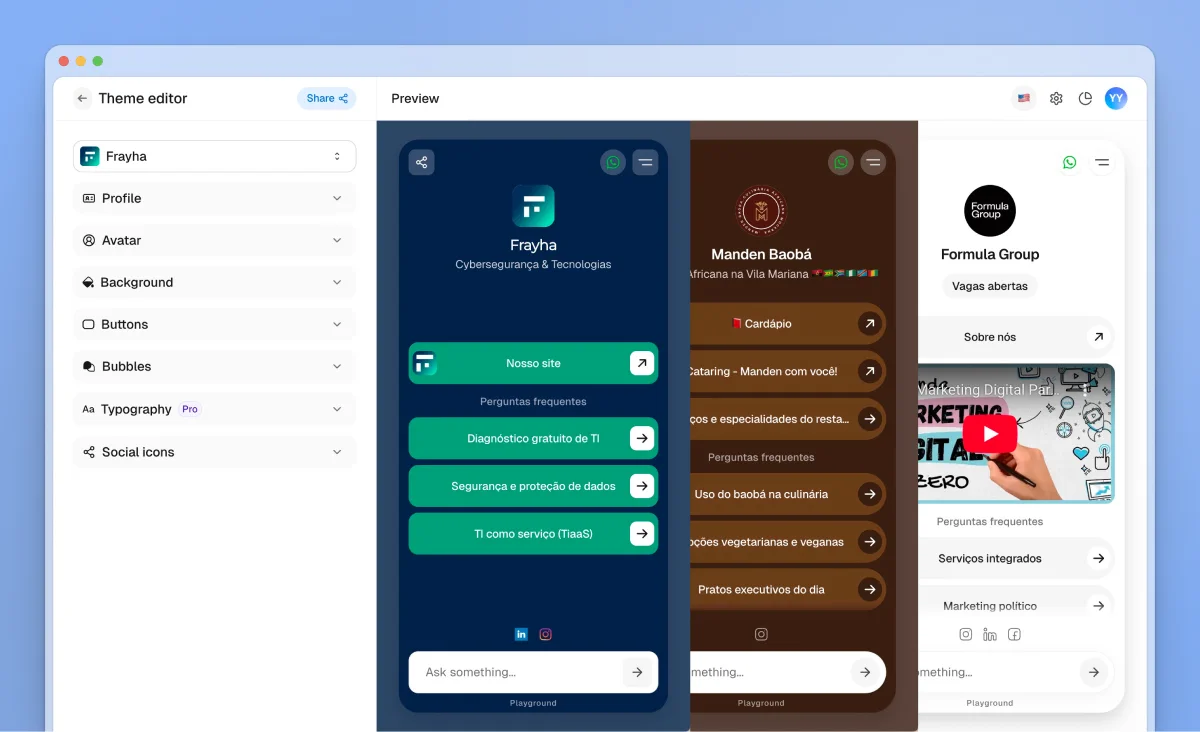
This page includes a complete visual customization space, giving you more control over how your chat looks and feels — and helping you better align it with your brand.
The Themes page was created to help you shape the visual identity of your chat and build a more dynamic, personalized, and engaging environment, without adding complexity.
You can now customize:
- Chat bubble colors & style
- Background colors & style
- Text colors
- Avatar style
- Button colors & style
- Typography
- Social media icons
- And more…
🎥 Turn social media videos into chat knowledge
You can now paste video URLs from YouTube, Instagram, TikTok, and Facebook directly into Attlas. The video content is automatically transcribed and added to your chat's knowledge base — in seconds.
Perfect for:
- Product demos and tutorials
- Customer testimonials
- Educational content
- Any video content you want your chat to reference
You can now upload audio files as sources in Attlas.
Meetings, interviews, voice notes, and recordings are automatically transcribed and transformed into text, becoming part of your chat’s knowledge base.
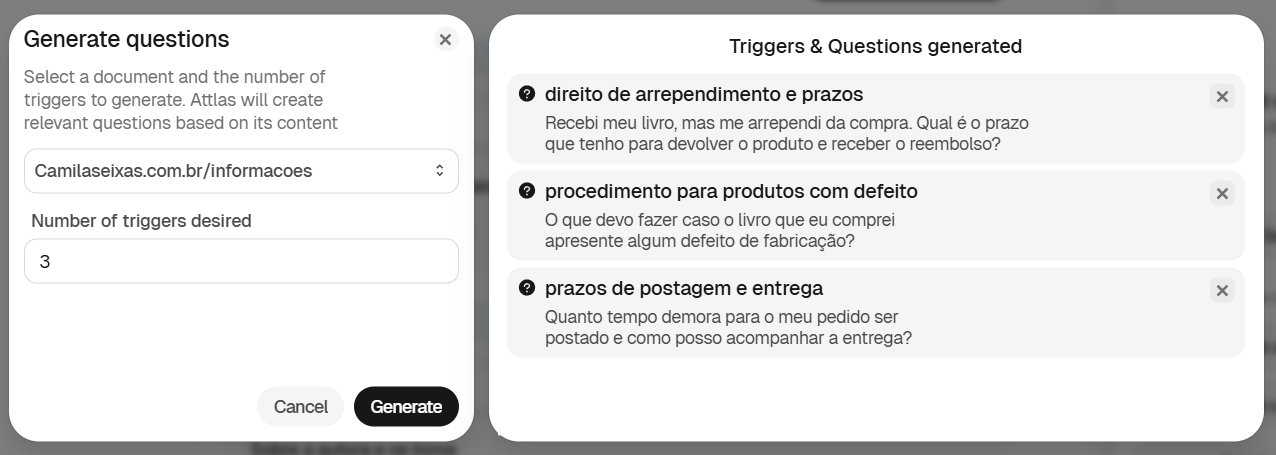
You can now generate trigger questions directly from your sources.
Just go to the Triggers tab, click on Generate questions, select the source you want to use, choose how many questions you’d like, and click Generate.
All questions are automatically added to the main Attlas interface and can be tested instantly in the Playground.
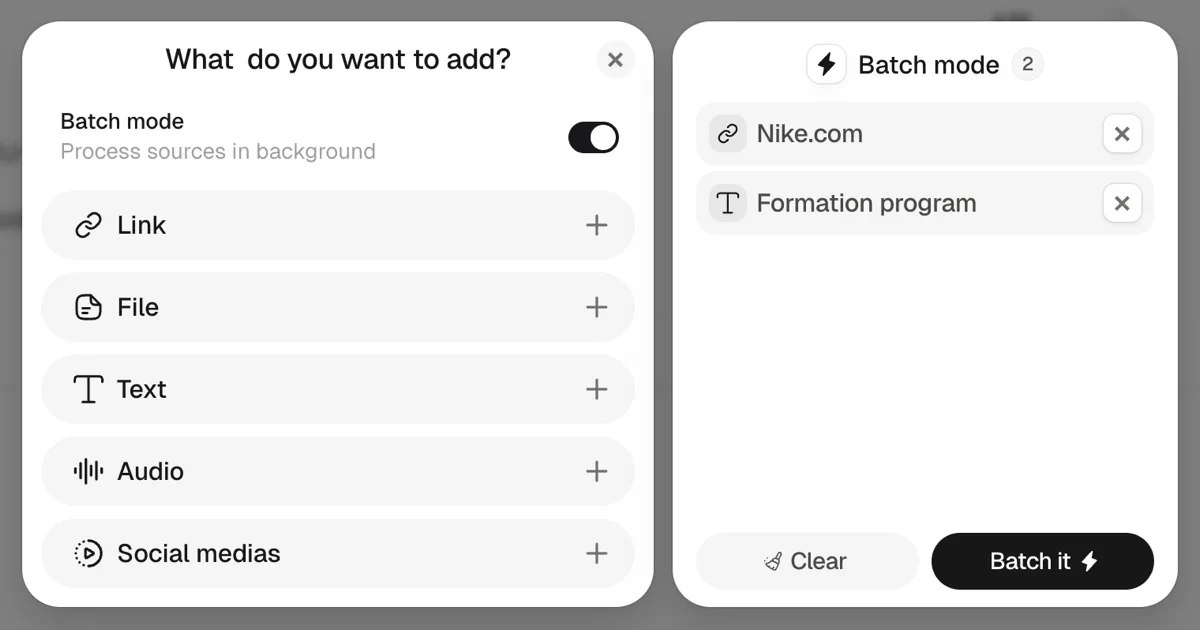
Batch Mode is available in the sources tab.
With it, you can upload multiple sources at once—including different formats such as links, PDFs, and texts—without having to send each item separately.
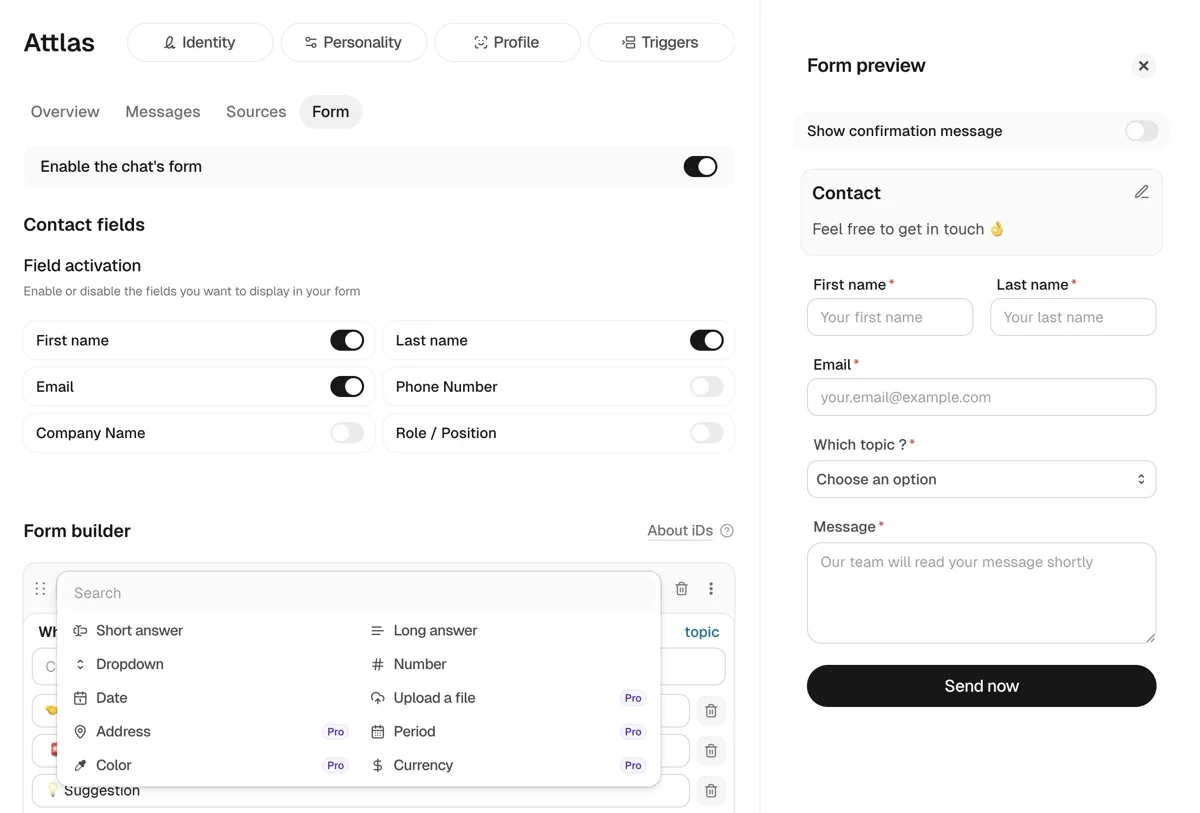
📝 More flexible lead capture forms
Lead capture forms are now even more customizable.
You can create custom fields based on what you need to collect, making each form adapt perfectly to your use case.
📊 New Submissions tab
We’ve added a new Submissions tab at the top of the platform.
This area stores all contacts and data submitted through your forms, and also tracks multiple submissions from the same user — allowing you to manage one contact with several entries in one place.
Attlas now detects source languages automatically and works natively across 29 languages — no primary language to define, no translations forced. Your chat learns and responds in the language of your content and your visitors.
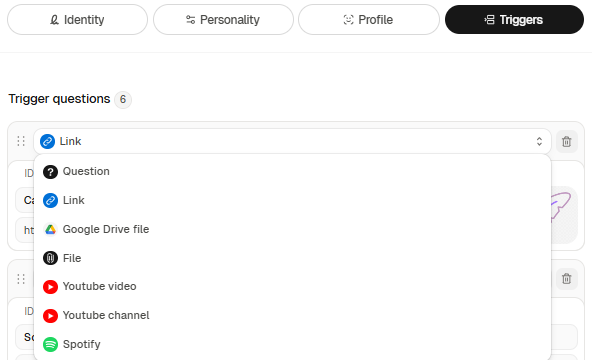
Trigger buttons are designed to encourage interaction with your chat and content!
All available options are:
- Question: write the trigger label and the actual question the chat should answer.
- Link: paste the link to your store, website, or any other relevant page.
- Google Drive file: insert the shared link to your Google Drive file or document.
- File: upload a file directly to the Attlas platform.
- YouTube video: include relevant videos to enrich the content.
- YouTube channel: connect your YouTube channel so users can easily access it.
- Spotify: share your favorite songs or playlists.
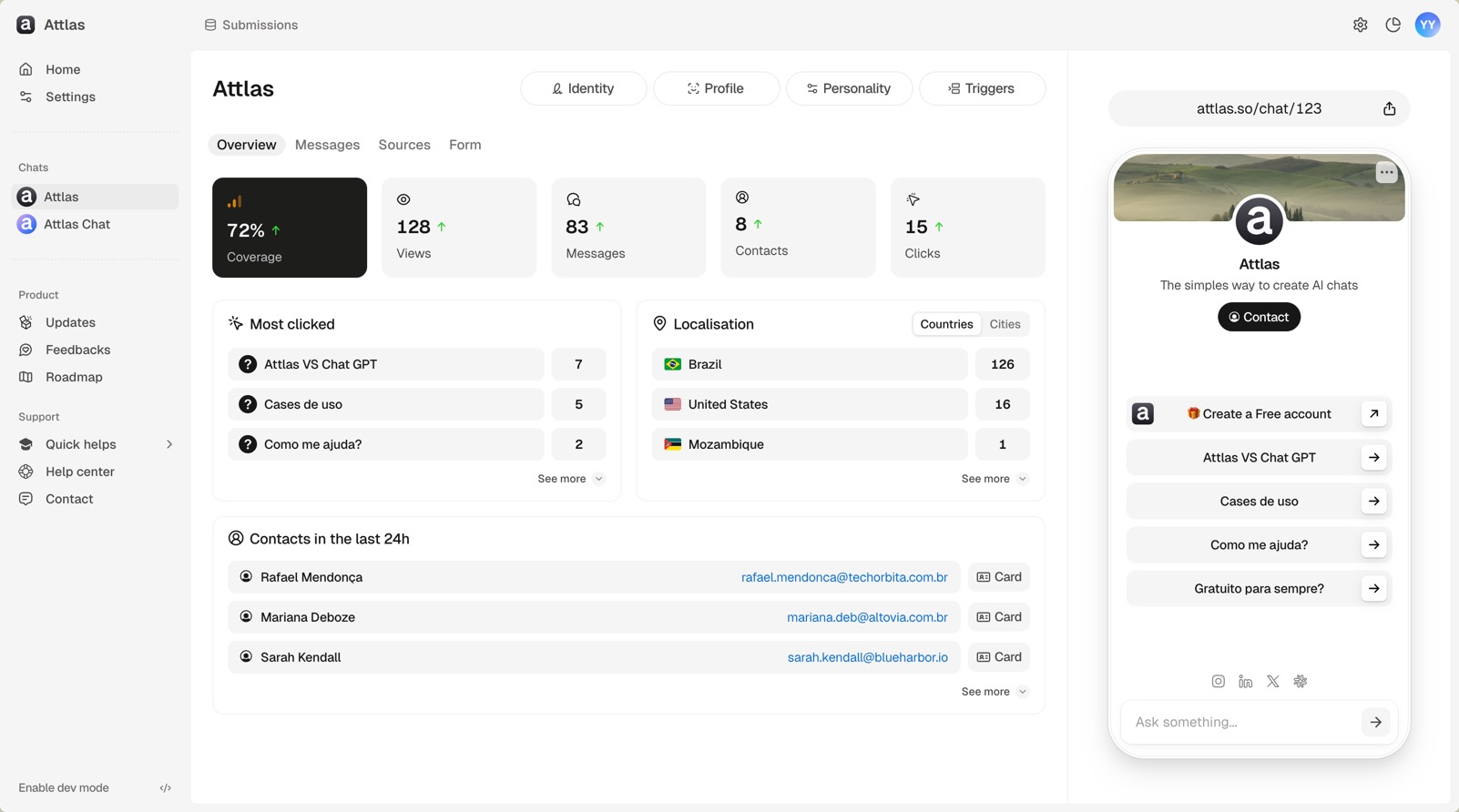
The new version of Attlas is now live—completely rethought, redesigned, and much more powerful. Here's what you'll find:
- New interface, more organized, intuitive, and faster.
- Separate environments for each feature, making everything clearer and easier to use.
- Corrections tab: now you can review and adjust messages with one click.
- Three languages available: Portuguese, English, and French.
- Customized chats: add buttons with trigger questions, links, and even videos.
- Smart buttons in chat: designed to encourage clicks and deepen the conversation.
- Internal forms to capture leads directly on the platform.
...and many other new features that you will only discover by exploring V3.
Welcome to the next level. 🚀
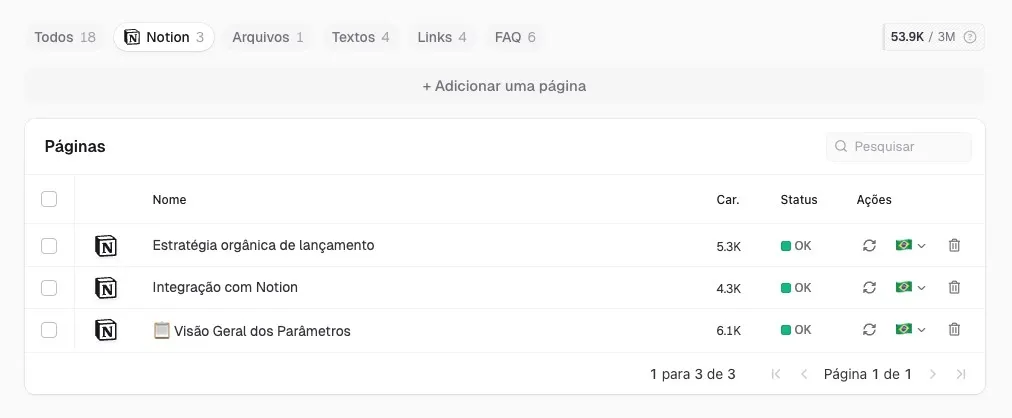
Attlas now has its first official integration: Notion.
With it, you can import pages directly from your Notion to your Attlas chat!
🛠️ Fixes and improvements
- We fixed an important bug: the "Adjust" popup now works without crashing and displays content correctly, without having to refresh the page.
- We added font pagination.
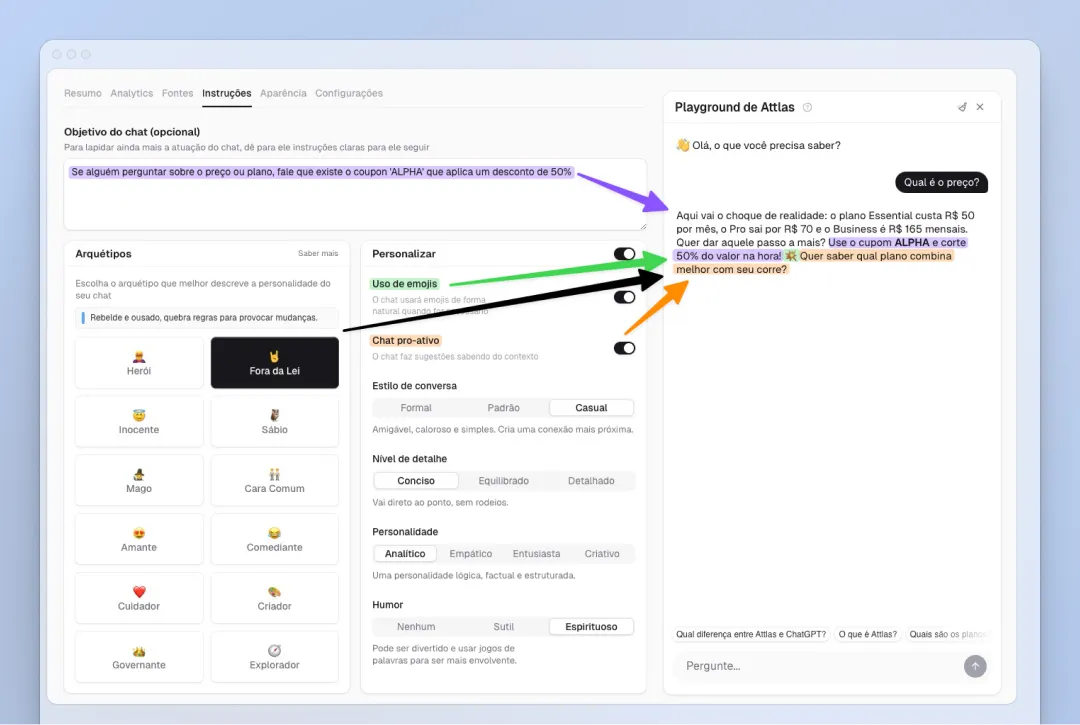
With the Instructions tab, you have more control over your chat's behavior, making each conversation more intelligent, personalized, and engaging.
Within the tab, you will find three main sections:
1. Objective
Here you define specific instructions on how you want your chat to respond or interact with users. It is completely flexible, and it is up to you to customize the chat's behavior.
2. Archetypes
Choose from different archetypes to give your chat a unique personality. Each archetype is based on real behavioral characteristics and will influence the tone and voice of the chat.
3. Customize
After choosing an archetype, you can adjust everything as you wish. This section allows you to change archetype parameters, define the conversation style, enable the use of emojis, and make the chat proactive by asking the user if they need anything else at the end of each response.
This update makes your chat more engaging, intelligent, and aligned with the way you want to communicate, all in a simple and intuitive way.
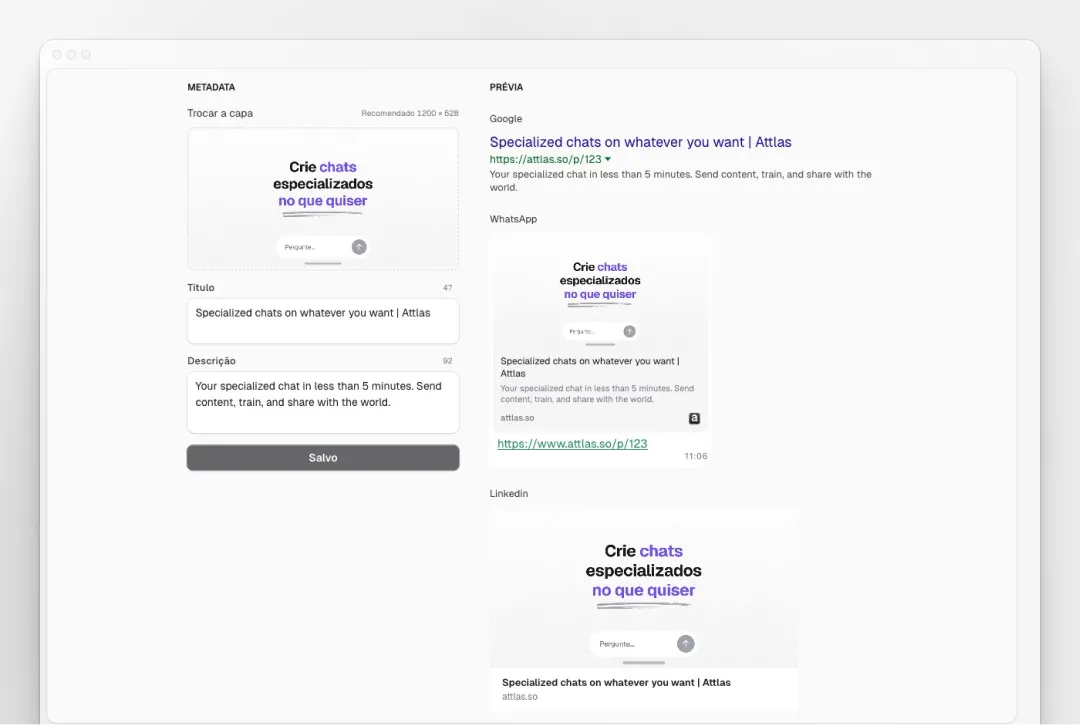
Now you can choose the image, title, and description that appear when you share your chat.
→ On WhatsApp, LinkedIn, or Facebook, whoever receives your link will see exactly what you have defined.
More professional, more attractive, more you. ✨
Activate it in Appearance, within your chat!
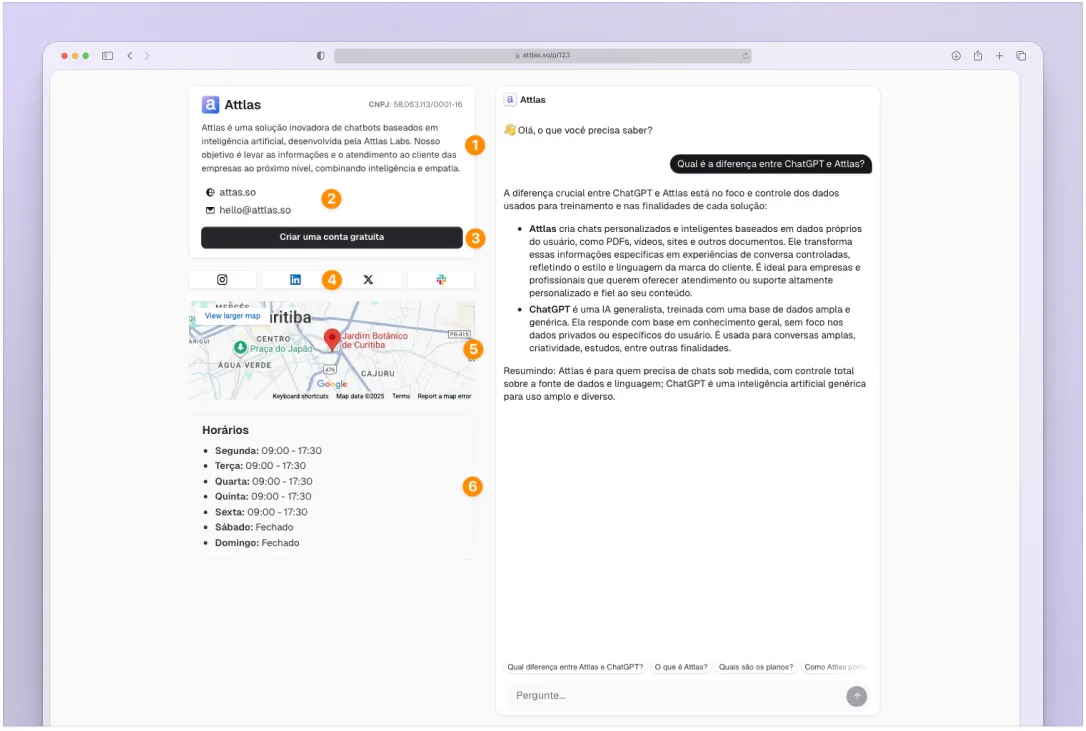
Now you can share your dedicated chat page! On it, you will find your chat and also the information you added to your Space Profile:
1. A description: Introduce your company/project/store/entity in a few lines.
2. Traditional contact channels: Email, cell phone, address, website, etc.
3. Any links or social media accounts.
4. An integrated map for even more intuitiveness.
5. Business hours.
And the best part: you choose what you want to show. 😉
On the sharing page itself, you can easily adjust which data is visible to those who access your dedicated page.
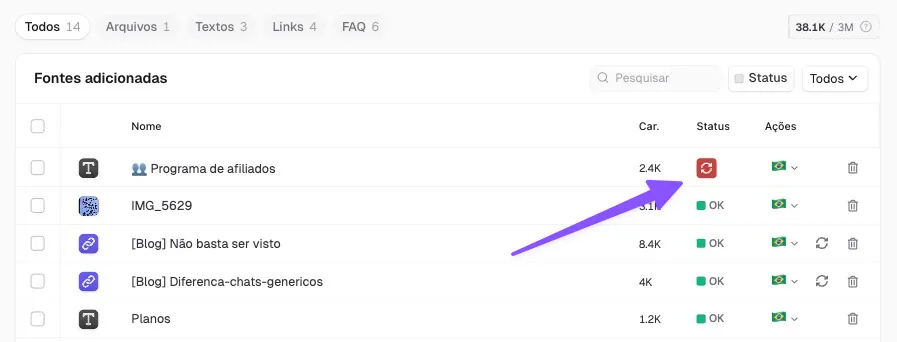
- In edit mode, clicking outside the page no longer closes the tab. Now you can edit without the risk of losing your work.
- Some fonts had training issues. We fixed this and added a reload button, which only appears when the font cannot train automatically.
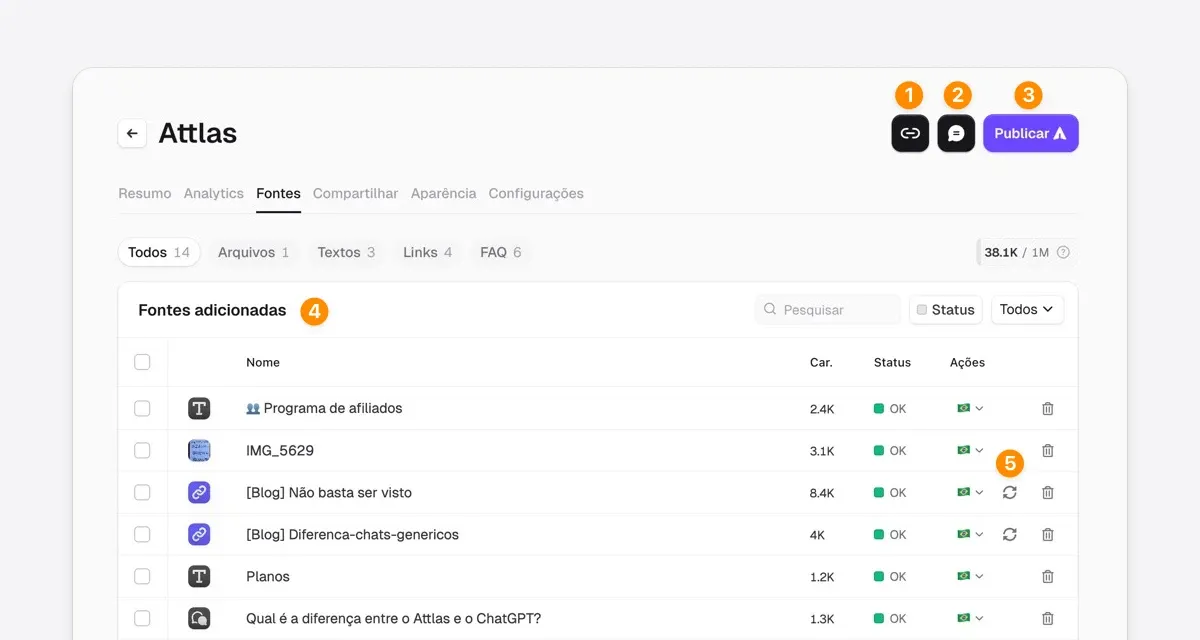
- Direct and accessible link: The link button is now more visible and closer, making it easier to share your chat without complications.
- Playground in the palm of your hand: Access to the test/playground has been repositioned to be closer and more intuitive, allowing you to validate the chat more quickly.
- Automatic and intelligent training: You no longer need to click to train your chat! The system does this automatically (goodbye "Train Chat" button 👋).
- Improved font display: Files are now displayed in a list! No more truncated titles! This makes it much easier to identify each piece of content, including questions and answers.
- 1-click link updates: if any link content added to your sources changes, you can update it with just one click, without having to redo the process.
We have also fixed minor bugs that you helped us identify.
Please continue to send us your feedback, because Attlas evolves alongside you ✨
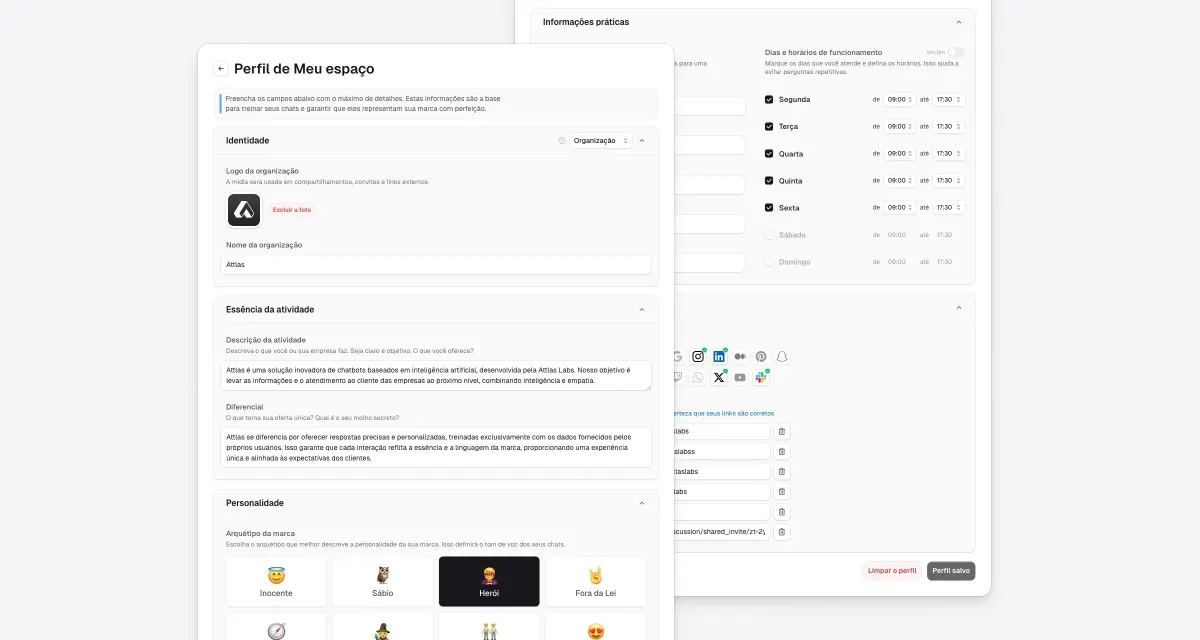
Now you can set up your space's profile with a name, description, logo, business hours, contact information, and social media accounts. This information helps your chats respond with your company's identity, bringing more context, credibility, and consistency to conversations.
- A significant update to our chat system to improve response speed and accuracy.
- Will only apply to newly created chats.
- We recommend that you delete your current chatbots and create new ones to take advantage of these improvements.
We understand that this transition may cause some inconvenience and apologize for that. This update is essential to provide you and your audience with the best possible user experience.