> ## Documentation Index
> Fetch the complete documentation index at: https://attlas.so/docs/llms.txt
> Use this file to discover all available pages before exploring further.
# Themes
> Choose from 42 available themes and instantly customize your chat's appearance.
Themes were designed to help you create an experience that truly feels like yours, more beautiful, more professional and more engaging for everyone who interacts with your chat.
The Themes section allows you to quickly change your chat's appearance using pre-built themes.
Go to `Settings → Themes` to personalize your chat's appearance.
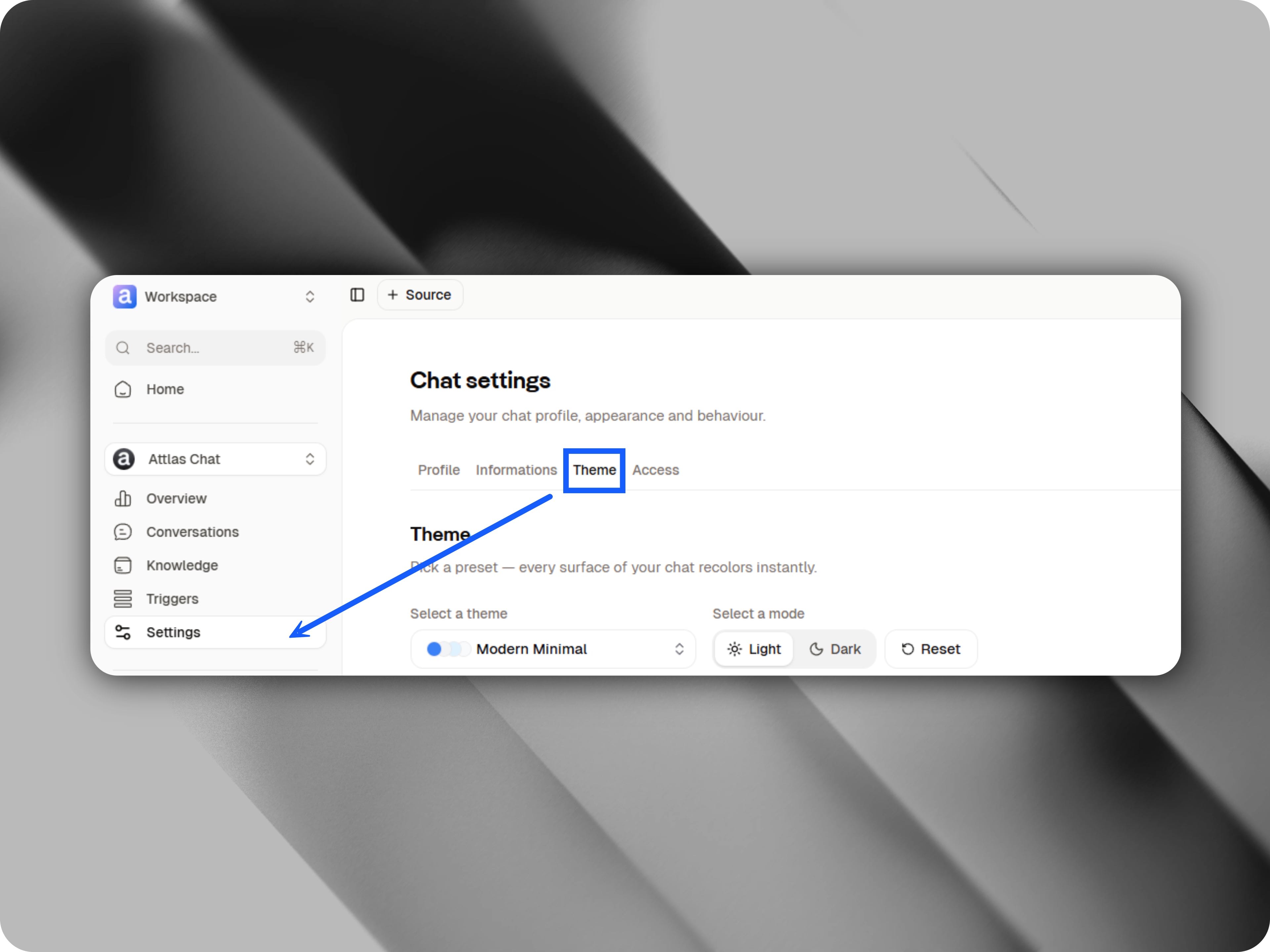 ## Choosing a theme
Attlas currently offers **42 ready-to-use themes**.
## Choosing a theme
Attlas currently offers **42 ready-to-use themes**.
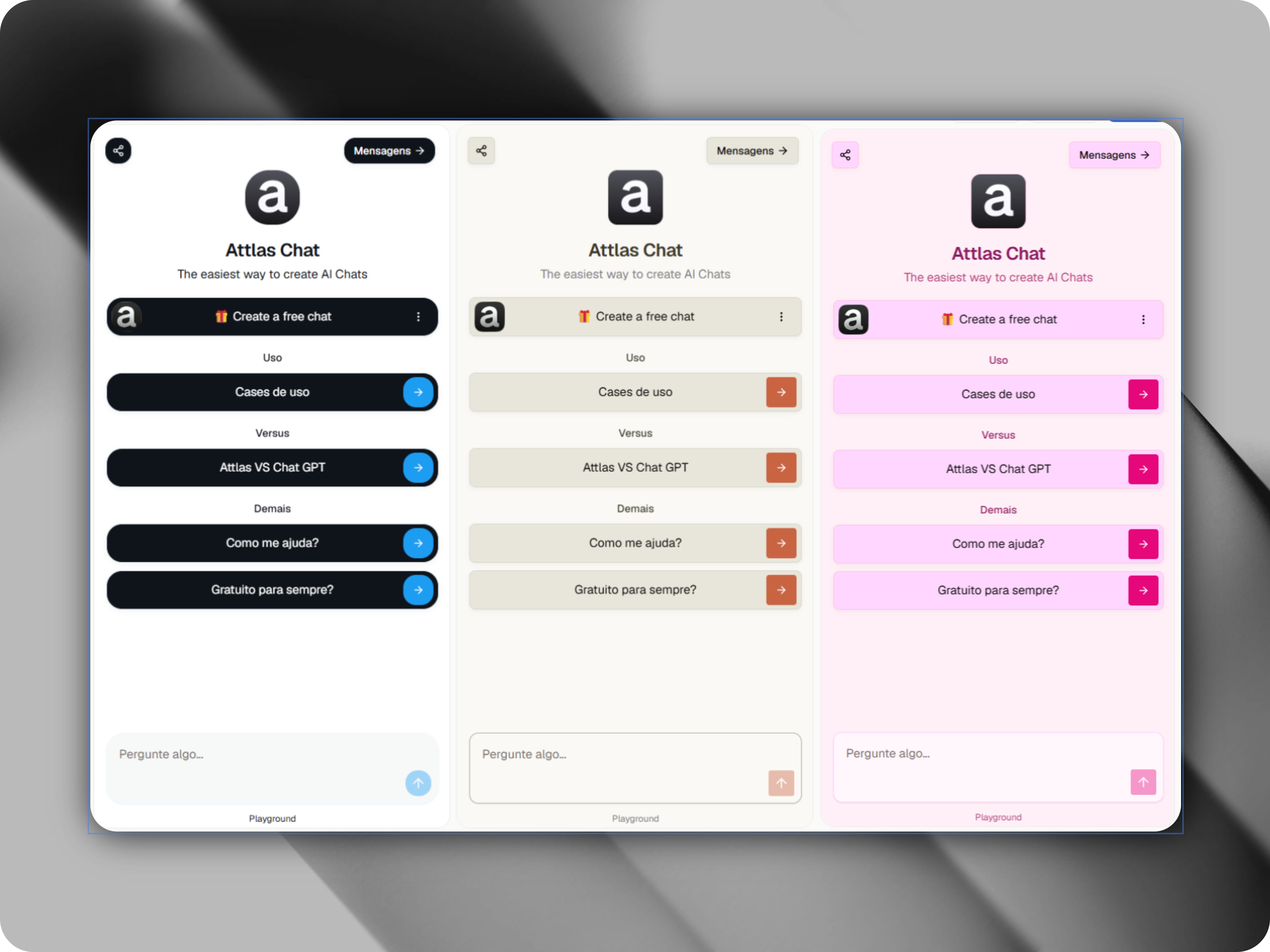
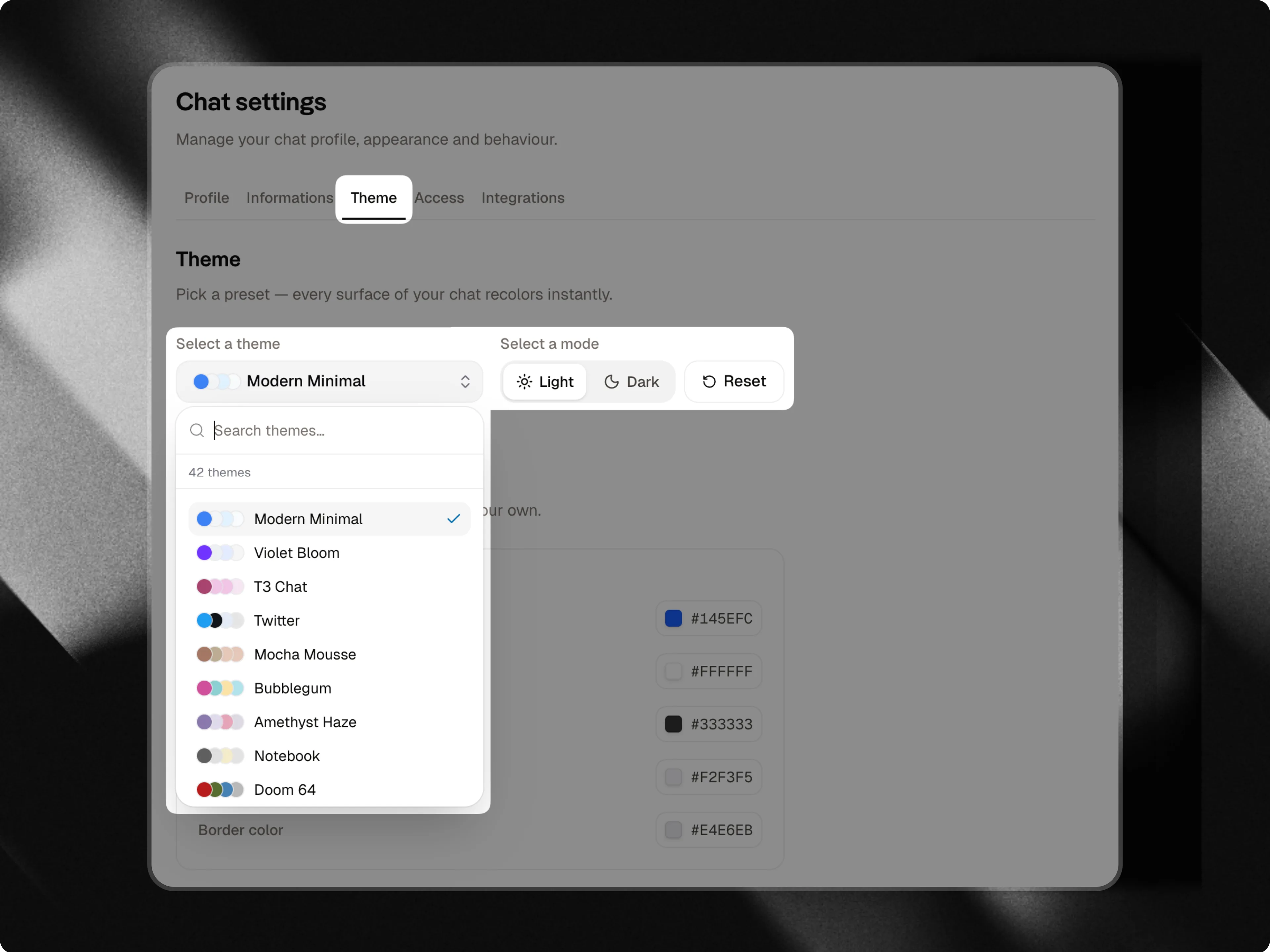 Each theme comes with its own combination of:
* Colors
* Visual styles
* Button designs
Simply select a theme and all visual changes will be applied automatically to your chat.
Feel free to explore different options until you find the one that best represents your brand, project, or visual identity.
## Here are some examples
Each theme comes with its own combination of:
* Colors
* Visual styles
* Button designs
Simply select a theme and all visual changes will be applied automatically to your chat.
Feel free to explore different options until you find the one that best represents your brand, project, or visual identity.
## Here are some examples
 ## Light mode and dark mode
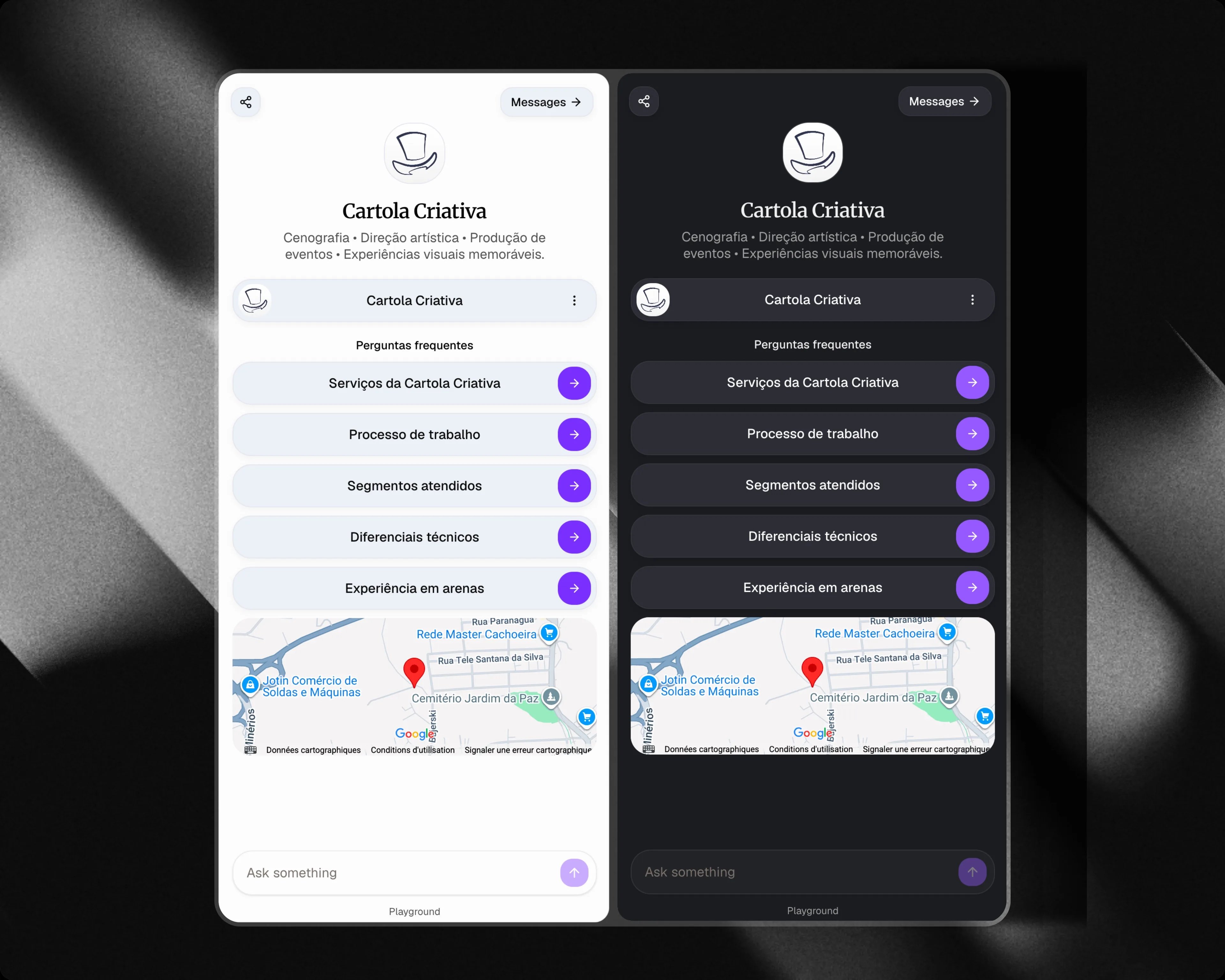
In addition to themes, you can choose how your chat is displayed.
### Light mode
Uses a clean and bright interface.
### Dark mode
Uses a dark interface and automatically adapts the theme colors for a better visual experience.
You can switch between modes at any time.
The **Customize** section, which allows you to personalize colors, typography, layout and background images, is available exclusively on the **Attlas Starter** and **Attlas PRO** plans.
## Light mode and dark mode
In addition to themes, you can choose how your chat is displayed.
### Light mode
Uses a clean and bright interface.
### Dark mode
Uses a dark interface and automatically adapts the theme colors for a better visual experience.
You can switch between modes at any time.
The **Customize** section, which allows you to personalize colors, typography, layout and background images, is available exclusively on the **Attlas Starter** and **Attlas PRO** plans.
 Learn more about advanced customization options in the **Customize** documentation