> ## Documentation Index
> Fetch the complete documentation index at: https://attlas.so/docs/llms.txt
> Use this file to discover all available pages before exploring further.
# Open Graph
> Configure how your chat appears across search engines, messaging apps and social media platforms.
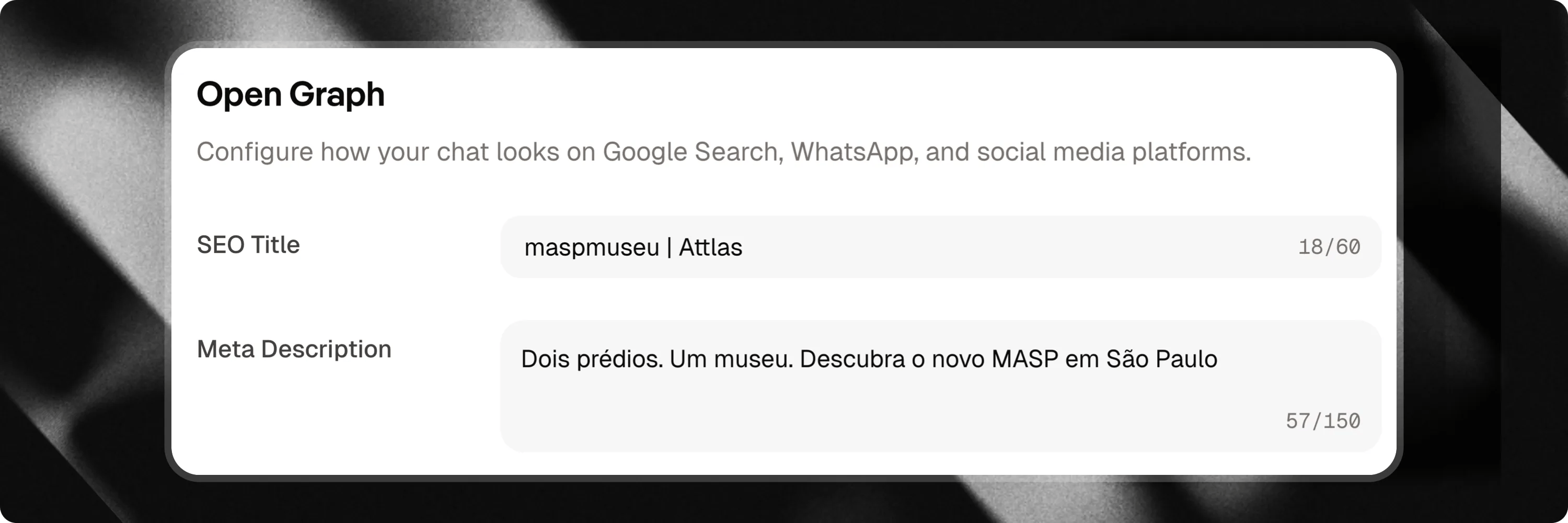
**Open Graph** allows you to control how your chat appears when shared on search engines, messaging apps and social media platforms.
It helps create a more professional presentation and increases the likelihood that people will click on your link.
To configure your chat's Open Graph settings, go to `Settings → Profile`and scroll down until you find the Open Graph section.
 ***
## What is Open Graph?
Open Graph is a standard used by platforms such as:
* Google
* WhatsApp
* Facebook
* LinkedIn
* X (Twitter)
* Discord
* Telegram
When someone shares your chat link, these platforms use the information configured in Open Graph to generate the preview shown to users.
***
## Available settings
### SEO Title
The title that will be displayed when your chat appears in search results or link previews.
Examples:
* XYZ Company Help Center
* Complete Digital Marketing Guide
We recommend using short, clear and easy-to-identify titles.
### Meta description
The description displayed alongside the title.
Its purpose is to quickly explain what users will find when they access your chat.
Examples:
* Get answers about our products and services.
* Access content, links and resources in one place.
The clearer your description is, the more likely you are to attract qualified visitors.
***
## Why configure Open Graph?
Properly configuring these settings offers several benefits:
* A more professional appearance when sharing links;
* Better understanding of your chat's purpose;
* Increased trust from people who receive the link;
* Higher click-through rates on social media and messaging platforms.
Small improvements can make a significant difference in how your chat is perceived.
***
## Best Practices
### Use clear titles
* Avoid generic titles.
* Choose names that clearly identify your chat and its purpose.
### Keep descriptions short
* Briefly explain what users can expect when they access your chat.
### Think about first impressions
* In many cases, the Open Graph preview will be someone's first interaction with your Attlas chat.
* Make sure it accurately represents your brand, project, or content.
***
## Create more professional shares
Open Graph helps your chat make a strong first impression before the conversation even begins.
By properly configuring your title and description, you make your shared links clearer, more professional and more attractive to your audience.
***
## What is Open Graph?
Open Graph is a standard used by platforms such as:
* Google
* WhatsApp
* Facebook
* LinkedIn
* X (Twitter)
* Discord
* Telegram
When someone shares your chat link, these platforms use the information configured in Open Graph to generate the preview shown to users.
***
## Available settings
### SEO Title
The title that will be displayed when your chat appears in search results or link previews.
Examples:
* XYZ Company Help Center
* Complete Digital Marketing Guide
We recommend using short, clear and easy-to-identify titles.
### Meta description
The description displayed alongside the title.
Its purpose is to quickly explain what users will find when they access your chat.
Examples:
* Get answers about our products and services.
* Access content, links and resources in one place.
The clearer your description is, the more likely you are to attract qualified visitors.
***
## Why configure Open Graph?
Properly configuring these settings offers several benefits:
* A more professional appearance when sharing links;
* Better understanding of your chat's purpose;
* Increased trust from people who receive the link;
* Higher click-through rates on social media and messaging platforms.
Small improvements can make a significant difference in how your chat is perceived.
***
## Best Practices
### Use clear titles
* Avoid generic titles.
* Choose names that clearly identify your chat and its purpose.
### Keep descriptions short
* Briefly explain what users can expect when they access your chat.
### Think about first impressions
* In many cases, the Open Graph preview will be someone's first interaction with your Attlas chat.
* Make sure it accurately represents your brand, project, or content.
***
## Create more professional shares
Open Graph helps your chat make a strong first impression before the conversation even begins.
By properly configuring your title and description, you make your shared links clearer, more professional and more attractive to your audience.