> ## Documentation Index
> Fetch the complete documentation index at: https://attlas.so/docs/llms.txt
> Use this file to discover all available pages before exploring further.
# Webhooks integration
> Receive real-time HTTP POST notifications in your backend whenever leads are captured or calendar events are booked and canceled.
Webhooks allow you to connect Attlas Chat to your backend, CRM, or external tools in real time. Whenever a visitor interacts with your chat, for example by leaving their contact details or scheduling a meeting, Attlas sends an automated HTTP POST request to your specified endpoint.
***
 ## Key events
Attlas triggers webhooks for four main events:
| Event | Type | Triggered when |
| ----------------- | ---------- | ------------------------------------------------------------------------ |
| `contact_created` | `contact` | A new lead or contact is created via a conversation or booking. |
| `contact_updated` | `contact` | An existing contact's profile or details are updated upon re-engagement. |
| `event_created` | `calendar` | A visitor schedules a new meeting on Google Calendar through the chat. |
| `event_canceled` | `calendar` | A scheduled meeting is canceled by you or the visitor. |
`contact_created` is sent when a **new contact** is created. If a returning visitor is recognized through deduplication (email, phone, or conversation history), Attlas emits `contact_updated` instead.
***
## How to set up Webhooks
Setting up a webhook endpoint takes less than a minute:
1. Navigate to your **Chat Settings**.
2. Select the **Integrations** tab.
3. Locate the **Webhooks** card and click **Connect**.
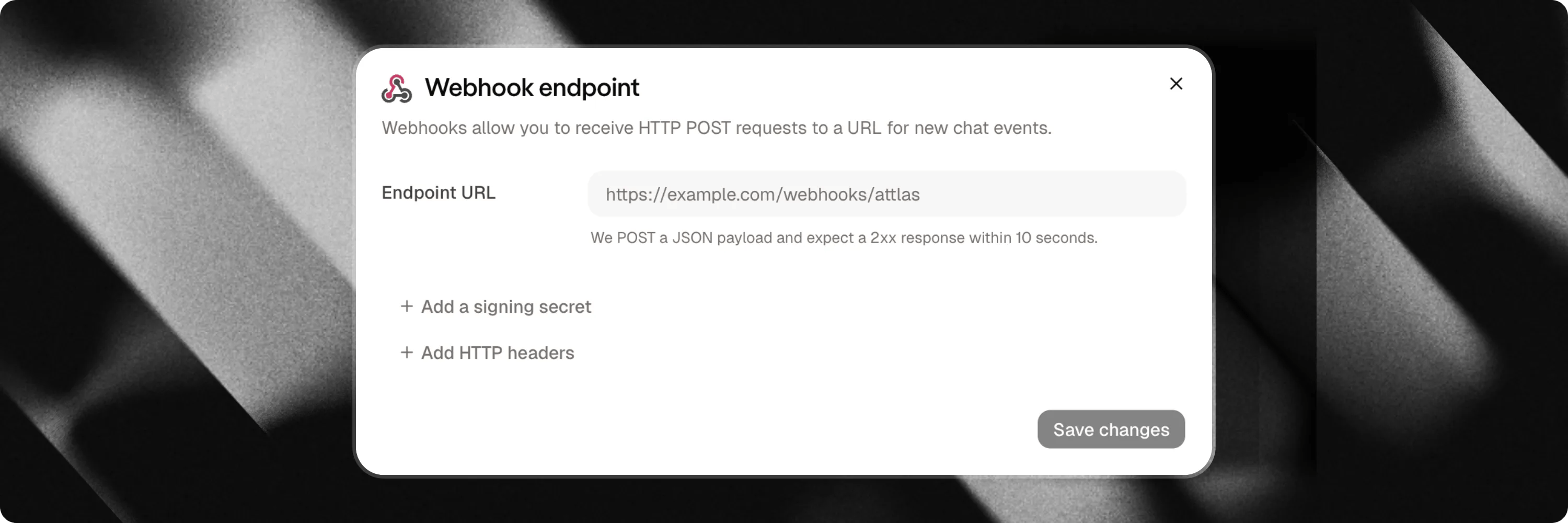
4. Enter your destination **Webhook URL** (must be a secure `https://` endpoint).
5. (Optional) Configure custom HTTP headers if your receiving server requires specific header tokens.
6. (Optional) Generate an HMAC **Signing Secret** to verify payload authenticity.
7. Click **Save** to activate.
***
## Payload structure
Each payload is sent as a JSON object containing details about the event and the associated chat:
```json theme={null}
{
"id": "5c6f8a0b-1234-4567-890a-bcdef1234567",
"type": "contact",
"event": "contact_created",
"created_at": "2026-08-07T10:12:33.412Z",
"chat_id": 42,
"data": {
"id": "b1e23456-7890-4abc-def0-1234567890ab",
"firstname": "Ana",
"email": "ana@example.com",
"phone": "+33612345678",
"source": "form",
"kind": "lead_capture",
"conversation_id": "9f0a1b2c-3d4e-5f6a-7b8c-9d0e1f2a3b4c",
"history": [
{
"type": "user",
"content": "I would like to book a demo for tomorrow",
"manual": true,
"timestampz": "2026-08-07T10:11:54.000Z"
},
{
"type": "assistant",
"content": "Sure! Which time slot works best for you?",
"manual": false,
"timestampz": "2026-08-07T10:12:01.000Z"
}
]
}
}
```
The `data` object only includes non-empty fields. Optional fields that were not provided by the visitor are omitted to keep payloads clean.
### Lead intent & exit channels (`kind`, `channel`, `whatsapp`)
For contact events, Attlas enriches payload details with intent and channel metadata:
* `kind`: Identifies the raw intent of the contact creation:
* `lead_capture`: Standard lead capture form submission.
* `human_request`: Visitor requested to speak to a human.
* `booking`: Meeting scheduled via Google Calendar.
* `whatsapp`: Visitor engaged via WhatsApp trigger.
* `channel`: Specifies the exit medium when applicable (e.g. `"whatsapp"` when the visitor leaves via a WhatsApp trigger; omitted when empty).
* `whatsapp`: The visitor's WhatsApp phone number if provided or captured.
### Conversation history & message objects
When `conversation_id` is present in `data` (for `contact_created`, `contact_updated`, and `event_created`), Attlas attaches the full message history of the conversation in `data.history`, ordered from oldest to newest.
Each message item in `history` contains:
* `type`: `"user"` for visitor messages, or `"assistant"` for AI responses.
* `content`: The text content of the message.
* `manual`: `true` when the visitor manually typed the message, or `false` when generated via a quick-reply pill or sent by the assistant.
* `timestampz`: ISO 8601 timestamp of the message creation.
***
## Security & Verification
To ensure requests originate from Attlas, you can generate a **Signing Secret** in your webhook settings. When enabled, every request includes an `X-Attlas-Signature` header containing a timestamp and an HMAC-SHA256 signature (`t=timestamp,v1=signature`).
***
## Delivery, retries & monitoring
* **Security checks**: Destination URLs must use public `https://`. Localhost and private IP addresses are blocked.
* **Timeouts & retries**: Requests have a 10-second timeout. If your server returns a `5xx` error or times out, Attlas automatically retries delivery up to 3 times with exponential backoff.
* **Delivery logs**: You can view recent delivery attempts, status codes, and error messages directly inside your Attlas settings dialog.
## Key events
Attlas triggers webhooks for four main events:
| Event | Type | Triggered when |
| ----------------- | ---------- | ------------------------------------------------------------------------ |
| `contact_created` | `contact` | A new lead or contact is created via a conversation or booking. |
| `contact_updated` | `contact` | An existing contact's profile or details are updated upon re-engagement. |
| `event_created` | `calendar` | A visitor schedules a new meeting on Google Calendar through the chat. |
| `event_canceled` | `calendar` | A scheduled meeting is canceled by you or the visitor. |
`contact_created` is sent when a **new contact** is created. If a returning visitor is recognized through deduplication (email, phone, or conversation history), Attlas emits `contact_updated` instead.
***
## How to set up Webhooks
Setting up a webhook endpoint takes less than a minute:
1. Navigate to your **Chat Settings**.
2. Select the **Integrations** tab.
3. Locate the **Webhooks** card and click **Connect**.
4. Enter your destination **Webhook URL** (must be a secure `https://` endpoint).
5. (Optional) Configure custom HTTP headers if your receiving server requires specific header tokens.
6. (Optional) Generate an HMAC **Signing Secret** to verify payload authenticity.
7. Click **Save** to activate.
***
## Payload structure
Each payload is sent as a JSON object containing details about the event and the associated chat:
```json theme={null}
{
"id": "5c6f8a0b-1234-4567-890a-bcdef1234567",
"type": "contact",
"event": "contact_created",
"created_at": "2026-08-07T10:12:33.412Z",
"chat_id": 42,
"data": {
"id": "b1e23456-7890-4abc-def0-1234567890ab",
"firstname": "Ana",
"email": "ana@example.com",
"phone": "+33612345678",
"source": "form",
"kind": "lead_capture",
"conversation_id": "9f0a1b2c-3d4e-5f6a-7b8c-9d0e1f2a3b4c",
"history": [
{
"type": "user",
"content": "I would like to book a demo for tomorrow",
"manual": true,
"timestampz": "2026-08-07T10:11:54.000Z"
},
{
"type": "assistant",
"content": "Sure! Which time slot works best for you?",
"manual": false,
"timestampz": "2026-08-07T10:12:01.000Z"
}
]
}
}
```
The `data` object only includes non-empty fields. Optional fields that were not provided by the visitor are omitted to keep payloads clean.
### Lead intent & exit channels (`kind`, `channel`, `whatsapp`)
For contact events, Attlas enriches payload details with intent and channel metadata:
* `kind`: Identifies the raw intent of the contact creation:
* `lead_capture`: Standard lead capture form submission.
* `human_request`: Visitor requested to speak to a human.
* `booking`: Meeting scheduled via Google Calendar.
* `whatsapp`: Visitor engaged via WhatsApp trigger.
* `channel`: Specifies the exit medium when applicable (e.g. `"whatsapp"` when the visitor leaves via a WhatsApp trigger; omitted when empty).
* `whatsapp`: The visitor's WhatsApp phone number if provided or captured.
### Conversation history & message objects
When `conversation_id` is present in `data` (for `contact_created`, `contact_updated`, and `event_created`), Attlas attaches the full message history of the conversation in `data.history`, ordered from oldest to newest.
Each message item in `history` contains:
* `type`: `"user"` for visitor messages, or `"assistant"` for AI responses.
* `content`: The text content of the message.
* `manual`: `true` when the visitor manually typed the message, or `false` when generated via a quick-reply pill or sent by the assistant.
* `timestampz`: ISO 8601 timestamp of the message creation.
***
## Security & Verification
To ensure requests originate from Attlas, you can generate a **Signing Secret** in your webhook settings. When enabled, every request includes an `X-Attlas-Signature` header containing a timestamp and an HMAC-SHA256 signature (`t=timestamp,v1=signature`).
***
## Delivery, retries & monitoring
* **Security checks**: Destination URLs must use public `https://`. Localhost and private IP addresses are blocked.
* **Timeouts & retries**: Requests have a 10-second timeout. If your server returns a `5xx` error or times out, Attlas automatically retries delivery up to 3 times with exponential backoff.
* **Delivery logs**: You can view recent delivery attempts, status codes, and error messages directly inside your Attlas settings dialog.