> ## Documentation Index
> Fetch the complete documentation index at: https://attlas.so/docs/llms.txt
> Use this file to discover all available pages before exploring further.
# Bandsintown integration
> Connect your Bandsintown artist profile to display live tour dates and upcoming concert events directly in your Attlas Chat.
The Bandsintown integration allows musicians, bands, and artists to showcase live tour dates directly inside their Attlas Chat. Once the connection is active, your AI assistant automatically gains full context of your upcoming tour schedule and can answer visitor questions in natural language.
Instead of sending users away to external event pages, visitors can ask questions naturally (like *"When is your next show in Paris?"*) and receive accurate, conversational answers along with interactive concert cards in the chat.
***
## Key benefits
* **Automatic AI awareness**: As soon as Bandsintown is connected, your AI assistant has access to your concert schedule and answers visitor inquiries naturally in conversation.
* **Automated tour sync**: Your upcoming shows are automatically fetched from Bandsintown, keeping your schedule accurate without manual updates.
* **Native chat rendering**: Concert dates appear as interactive cards in the chat window, complete with venue details, location, and ticket options.
* **Dedicated trigger pill**: You can highlight your tour dates on your chat page using the dedicated **Concerts** trigger.
* **Privacy and security**: API keys remain encrypted on the server and are stripped of tracking IDs before any links reach the visitor.
***
## How to set up Bandsintown
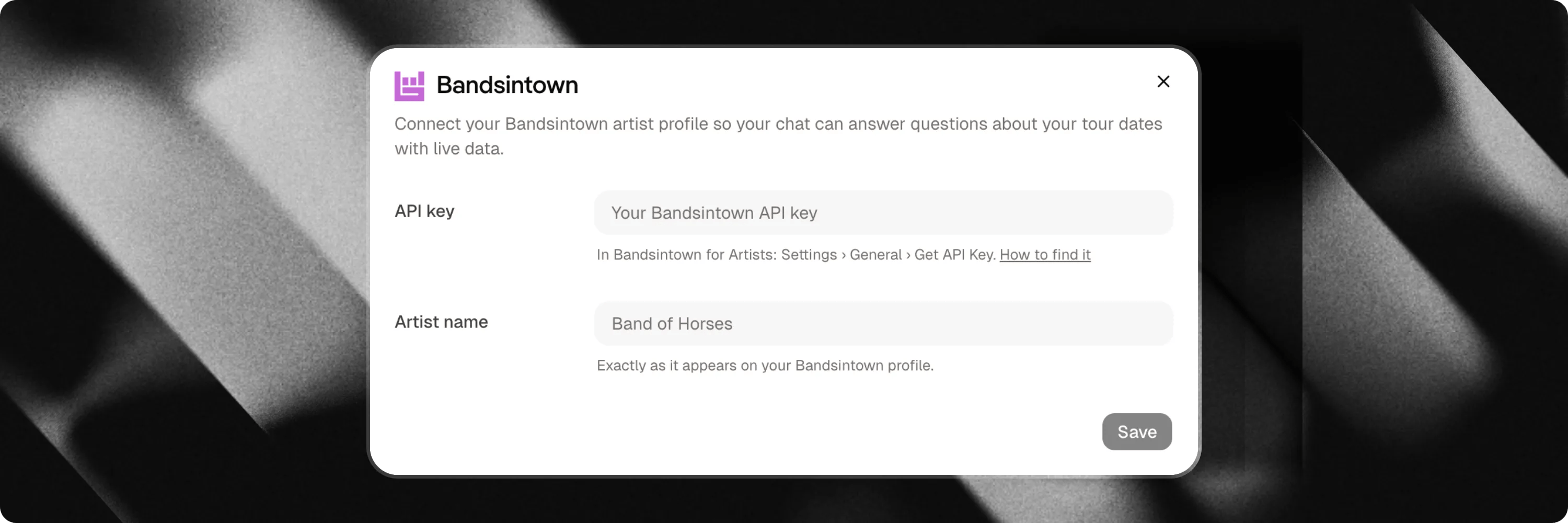 Setting up the integration takes less than two minutes:
1. Navigate to your **Chat Settings** in the Attlas dashboard.
2. Select the **Integrations** tab.
3. Locate the **Bandsintown** card and click **Connect**.
4. Enter your **Artist Name** (as listed on Bandsintown) and your Bandsintown **API Key**.
5. Click **Save** to verify the credentials and activate the integration.
You can get an API key from your **Bandsintown for Artists** account under **Settings > General > Get API Key**. For details, visit the [Bandsintown API Documentation](https://help.artists.bandsintown.com/en/articles/7053475-what-is-the-bandsintown-api).
Attlas verifies your artist profile during setup to ensure your artist name and API key resolve correctly before saving.
***
## Adding a Concerts trigger
Once Bandsintown is connected, you can add a live tour schedule trigger to your chat page:
1. Go to the **Triggers** tab in your chat settings.
2. Click **Add trigger** and select **Concerts**.
3. (Optional) Choose whether to display the artist header card or show event dates only.
4. Save your changes.
When visitors click the **Concerts** trigger, your upcoming show dates expand directly inside the chat interface.
***
## How it works in conversation
Once connected, the AI assistant dynamically queries your Bandsintown calendar whenever a visitor asks questions like *"When is your next show?"*, *"Are you playing in London?"*, or *"Where can I buy tickets?"*.
The assistant responds in plain, natural language while rendering a clean visual concert card containing show details and direct ticket links.
If you do not have any upcoming tour dates scheduled, the assistant politely informs the user in natural language while maintaining a conversational experience.
Setting up the integration takes less than two minutes:
1. Navigate to your **Chat Settings** in the Attlas dashboard.
2. Select the **Integrations** tab.
3. Locate the **Bandsintown** card and click **Connect**.
4. Enter your **Artist Name** (as listed on Bandsintown) and your Bandsintown **API Key**.
5. Click **Save** to verify the credentials and activate the integration.
You can get an API key from your **Bandsintown for Artists** account under **Settings > General > Get API Key**. For details, visit the [Bandsintown API Documentation](https://help.artists.bandsintown.com/en/articles/7053475-what-is-the-bandsintown-api).
Attlas verifies your artist profile during setup to ensure your artist name and API key resolve correctly before saving.
***
## Adding a Concerts trigger
Once Bandsintown is connected, you can add a live tour schedule trigger to your chat page:
1. Go to the **Triggers** tab in your chat settings.
2. Click **Add trigger** and select **Concerts**.
3. (Optional) Choose whether to display the artist header card or show event dates only.
4. Save your changes.
When visitors click the **Concerts** trigger, your upcoming show dates expand directly inside the chat interface.
***
## How it works in conversation
Once connected, the AI assistant dynamically queries your Bandsintown calendar whenever a visitor asks questions like *"When is your next show?"*, *"Are you playing in London?"*, or *"Where can I buy tickets?"*.
The assistant responds in plain, natural language while rendering a clean visual concert card containing show details and direct ticket links.
If you do not have any upcoming tour dates scheduled, the assistant politely informs the user in natural language while maintaining a conversational experience.