> ## Documentation Index
> Fetch the complete documentation index at: https://attlas.so/docs/llms.txt
> Use this file to discover all available pages before exploring further.
# Human in the loop
> Let visitors reach a real person at any time and get notified by email or WhatsApp when they do.
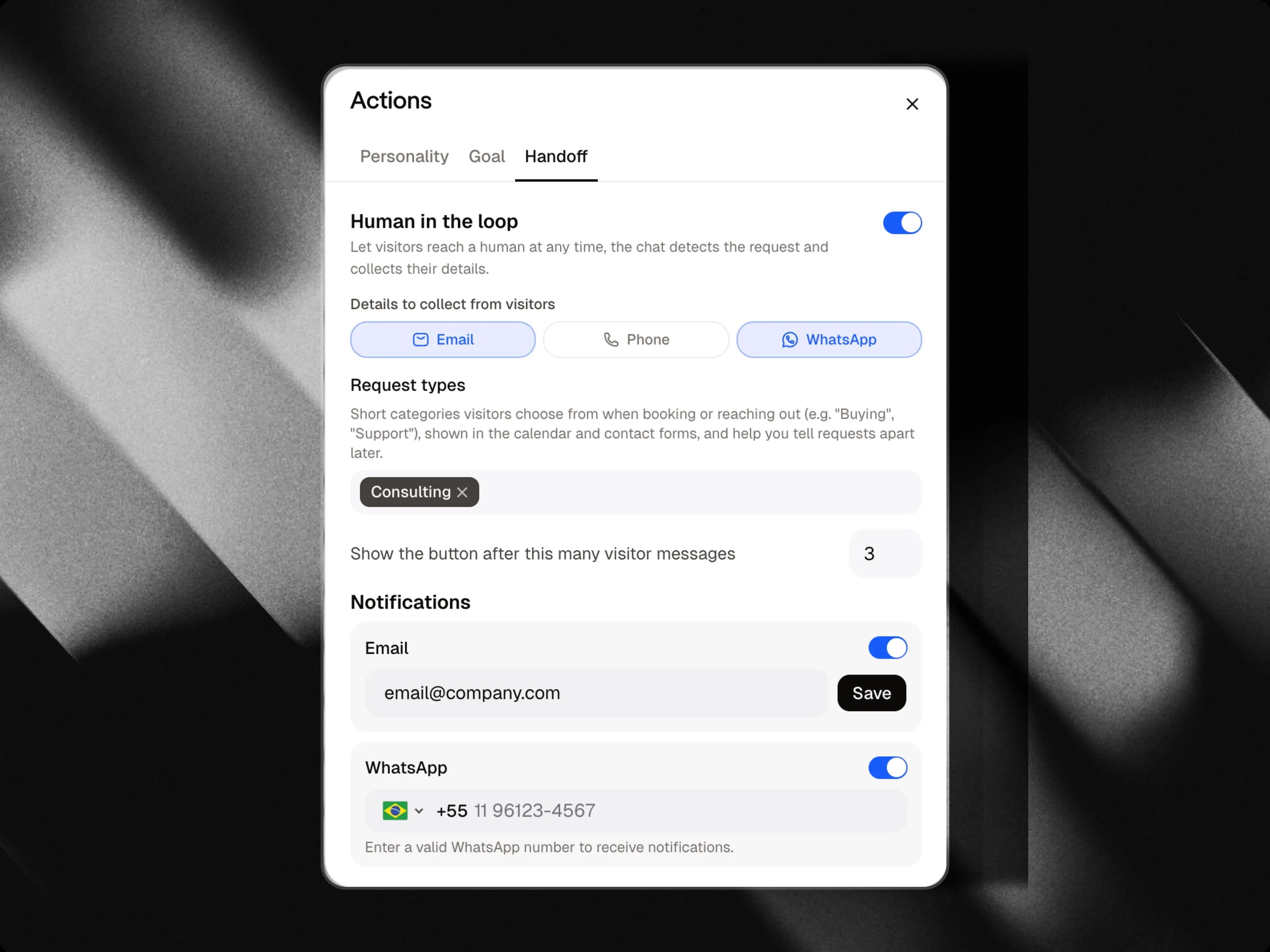
The **Human in the loop** tab, in the **Actions** panel, lets visitors ask to talk to a real person instead of the chat, at any time. This works independently of the chat's [goal](/docs/actions/goal): even a plain support chat can hand off to a human.
When a visitor asks, the chat collects their details and notifies you, so you can follow up yourself.
 ***
## Turning it on
Switch on **Human in the loop**, then configure:
| Setting | What it does |
| :--------------------------------------------------- | :------------------------------------------------------------------------------------------------------------------------- |
| **Details to collect from visitors** | Which contact details to ask for before handing off: email, phone, or WhatsApp number. |
| **Show the button after this many visitor messages** | A discreet "talk to a human" button appears in the chat once the visitor has sent this many messages (1 to 20, default 3). |
Visitors don't need to click the button, they can simply ask in plain language to talk to a person at any point in the conversation, regardless of the message count.
Handoff requests also use the [request types](/docs/actions/goal#request-types) you've defined, so you can tell them apart when reviewing your contacts.
***
## Notifications
Choose how you want to be notified when a visitor asks for a human:
* **Email**: on by default, sent to your account email. You can enter a different address if you'd rather notifications go elsewhere.
* **WhatsApp**: enter a number to also receive a WhatsApp message.
***
## Turning it on
Switch on **Human in the loop**, then configure:
| Setting | What it does |
| :--------------------------------------------------- | :------------------------------------------------------------------------------------------------------------------------- |
| **Details to collect from visitors** | Which contact details to ask for before handing off: email, phone, or WhatsApp number. |
| **Show the button after this many visitor messages** | A discreet "talk to a human" button appears in the chat once the visitor has sent this many messages (1 to 20, default 3). |
Visitors don't need to click the button, they can simply ask in plain language to talk to a person at any point in the conversation, regardless of the message count.
Handoff requests also use the [request types](/docs/actions/goal#request-types) you've defined, so you can tell them apart when reviewing your contacts.
***
## Notifications
Choose how you want to be notified when a visitor asks for a human:
* **Email**: on by default, sent to your account email. You can enter a different address if you'd rather notifications go elsewhere.
* **WhatsApp**: enter a number to also receive a WhatsApp message.
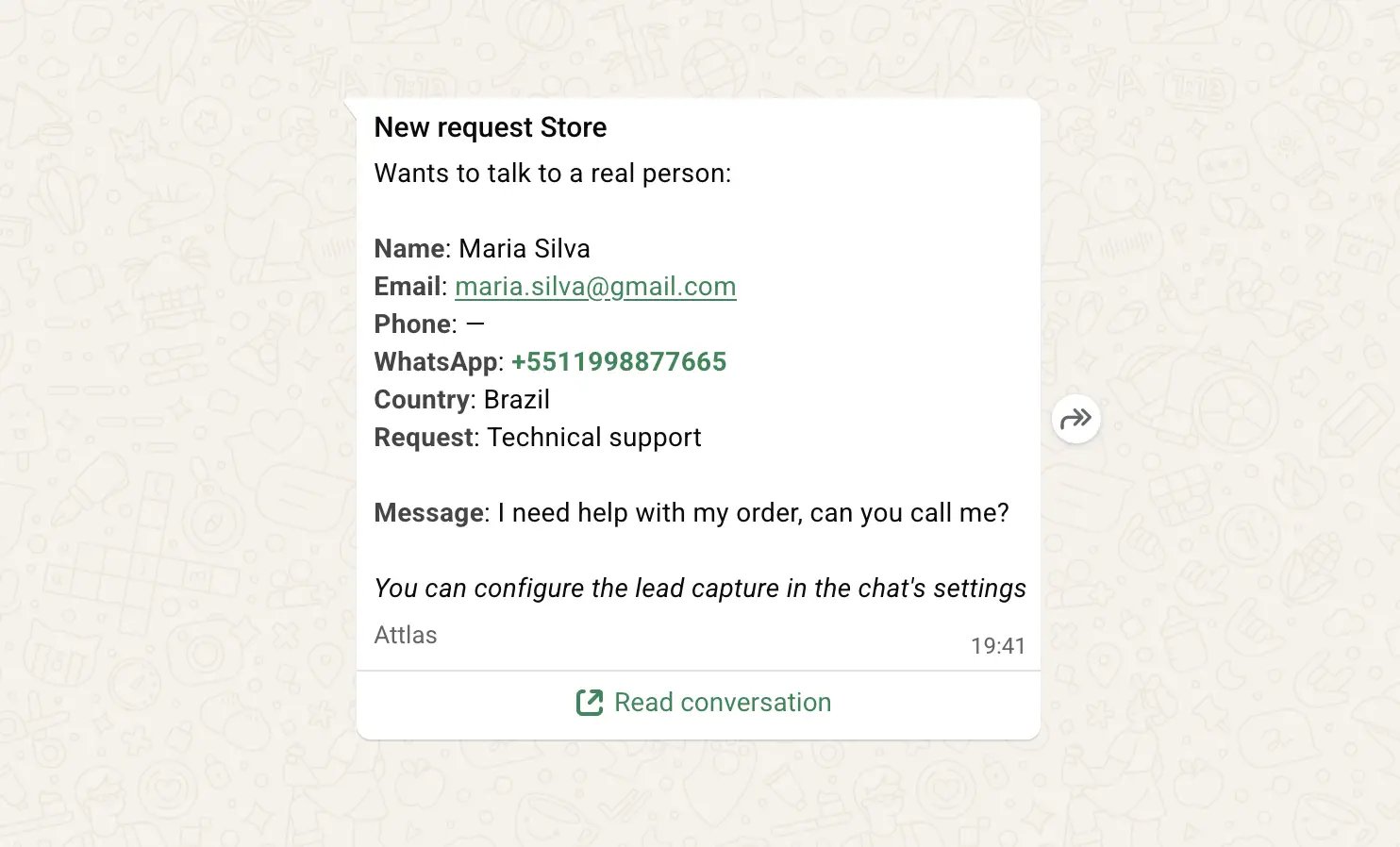 These notifications only fire for actual handoff requests, not for every lead you capture through the [Goal](/docs/actions/goal) tab.
***
## Weekly digest email
On top of instant notifications, Attlas sends a **weekly summary email** every Monday covering the past 7 days across all your chats: new leads and human handoff requests, broken down chat by chat, with a link to your contacts dashboard.
* It's only sent to workspace owners and editors, viewers aren't included.
* It's only sent if you have at least one chat with lead capture or human in the loop turned on and skipped entirely for weeks with no activity, so you won't get an email with nothing in it.
You can turn the weekly digest on or off anytime from **Account → Notifications**.
These notifications only fire for actual handoff requests, not for every lead you capture through the [Goal](/docs/actions/goal) tab.
***
## Weekly digest email
On top of instant notifications, Attlas sends a **weekly summary email** every Monday covering the past 7 days across all your chats: new leads and human handoff requests, broken down chat by chat, with a link to your contacts dashboard.
* It's only sent to workspace owners and editors, viewers aren't included.
* It's only sent if you have at least one chat with lead capture or human in the loop turned on and skipped entirely for weeks with no activity, so you won't get an email with nothing in it.
You can turn the weekly digest on or off anytime from **Account → Notifications**.