> ## Documentation Index
> Fetch the complete documentation index at: https://attlas.so/docs/llms.txt
> Use this file to discover all available pages before exploring further.
# Goal
> Give your chat a concrete goal to guide every conversation toward: answering questions, booking appointments, or capturing leads.
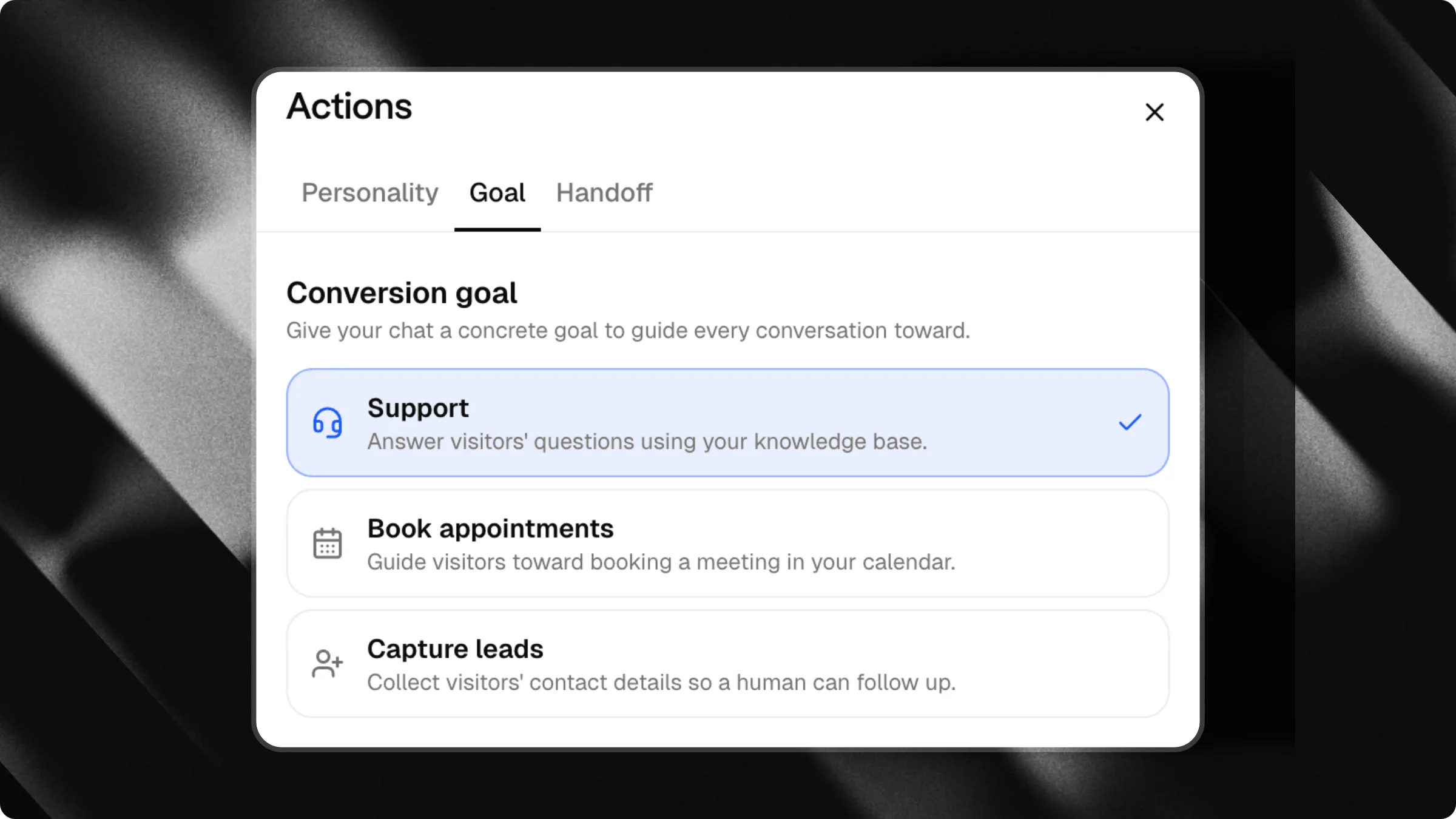
The **Goal** tab, in the **Actions** panel, tells your chat what it's actually trying to achieve with every visitor. Instead of just answering questions, your chat can actively guide the conversation toward booking a meeting or collecting contact details.
Pick the goal that matches what you want out of your chat. You can change it at any time, it takes effect immediately for new conversations.
 ***
## Choose a goal
### Support
Answer visitors' questions using your knowledge base. This is the default: no active goal, the chat simply helps.
### Book appointments
Guide visitors toward booking a meeting in your calendar.
This option requires a connected Google Calendar. If it isn't set up yet for this chat, the option is grayed out with a link to connect one.
Learn how to connect your calendar so visitors can book meetings directly in the chat.
### Capture leads
Collect visitors' contact details so a human can follow up.
***
## Choose a goal
### Support
Answer visitors' questions using your knowledge base. This is the default: no active goal, the chat simply helps.
### Book appointments
Guide visitors toward booking a meeting in your calendar.
This option requires a connected Google Calendar. If it isn't set up yet for this chat, the option is grayed out with a link to connect one.
Learn how to connect your calendar so visitors can book meetings directly in the chat.
### Capture leads
Collect visitors' contact details so a human can follow up.
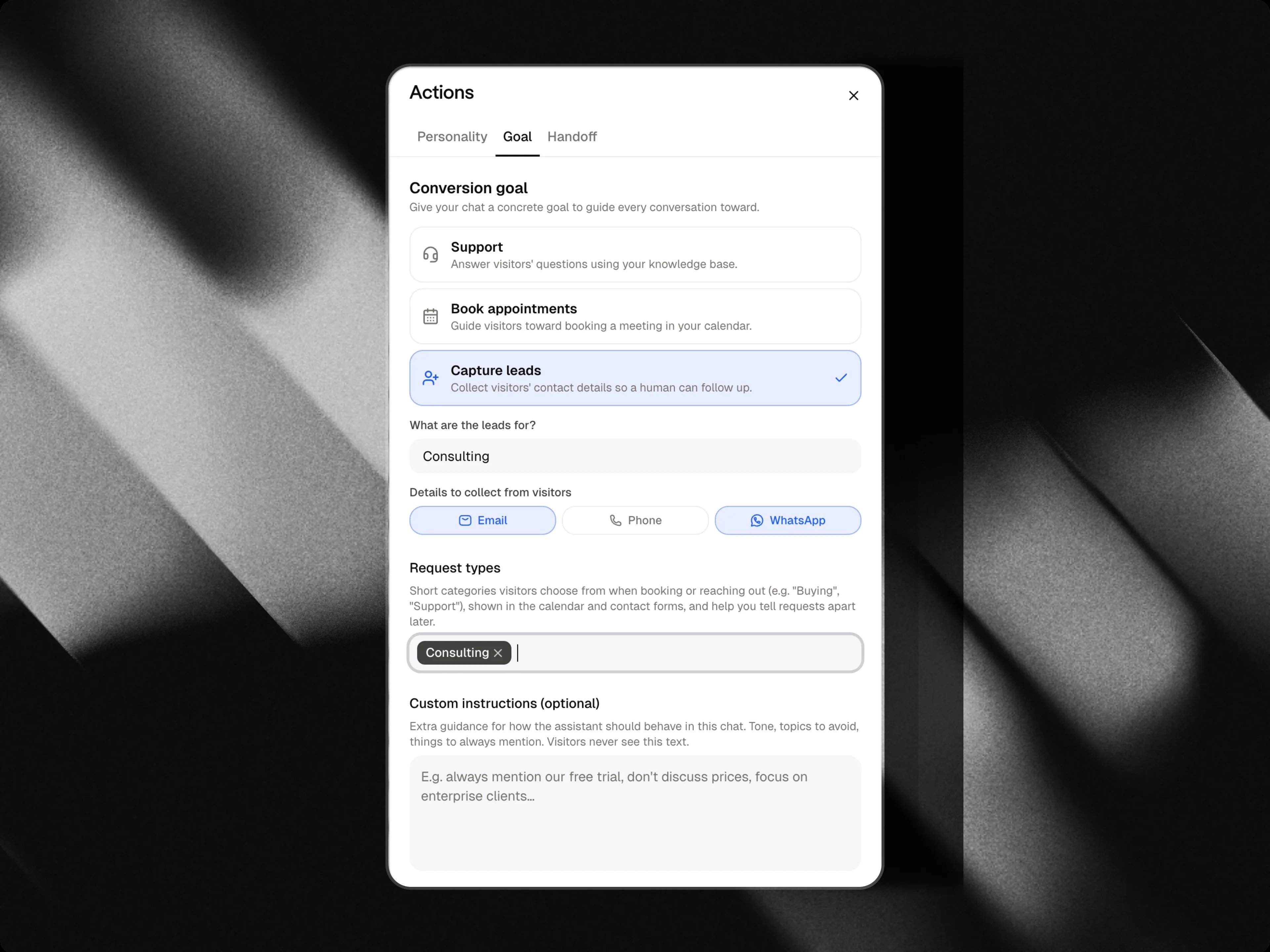 When you pick this goal, two extra fields appear:
| Field | What it does |
| :----------------------------------- | :----------------------------------------------------------------------------------------------------------------------------------------------------------------------------------------------------------------------- |
| **What are the leads for?** | A short description of why you're collecting leads (e.g. "homeowners interested in a property appraisal"). This tells the chat why visitors should leave their details, so it can bring it up naturally in conversation. |
| **Details to collect from visitors** | Which contact details to ask for: email, phone, or WhatsApp number. |
Without a clear "what are the leads for?" description, the chat won't know why it should be asking visitors for their details and may not do it well. Always fill this in when using the leads goal.
***
## Custom instructions
Whatever goal you pick, you can add optional custom instructions, extra guidance for how the assistant should behave in this chat: tone to use, topics to avoid, things to always mention. Visitors never see this text, it only shapes how the chat talks.
***
## Request types
When booking appointments or capturing leads, you can define **request types**, short categories visitors choose from (e.g. "Buying", "Support", "Renting"). They show up in both the calendar booking flow and the contact forms and help you tell requests apart later when reviewing your leads.
This list is shared with the [Human in the loop](/docs/actions/human-in-the-loop) tab, since both features collect the same kind of visitor requests.
When you pick this goal, two extra fields appear:
| Field | What it does |
| :----------------------------------- | :----------------------------------------------------------------------------------------------------------------------------------------------------------------------------------------------------------------------- |
| **What are the leads for?** | A short description of why you're collecting leads (e.g. "homeowners interested in a property appraisal"). This tells the chat why visitors should leave their details, so it can bring it up naturally in conversation. |
| **Details to collect from visitors** | Which contact details to ask for: email, phone, or WhatsApp number. |
Without a clear "what are the leads for?" description, the chat won't know why it should be asking visitors for their details and may not do it well. Always fill this in when using the leads goal.
***
## Custom instructions
Whatever goal you pick, you can add optional custom instructions, extra guidance for how the assistant should behave in this chat: tone to use, topics to avoid, things to always mention. Visitors never see this text, it only shapes how the chat talks.
***
## Request types
When booking appointments or capturing leads, you can define **request types**, short categories visitors choose from (e.g. "Buying", "Support", "Renting"). They show up in both the calendar booking flow and the contact forms and help you tell requests apart later when reviewing your leads.
This list is shared with the [Human in the loop](/docs/actions/human-in-the-loop) tab, since both features collect the same kind of visitor requests.